


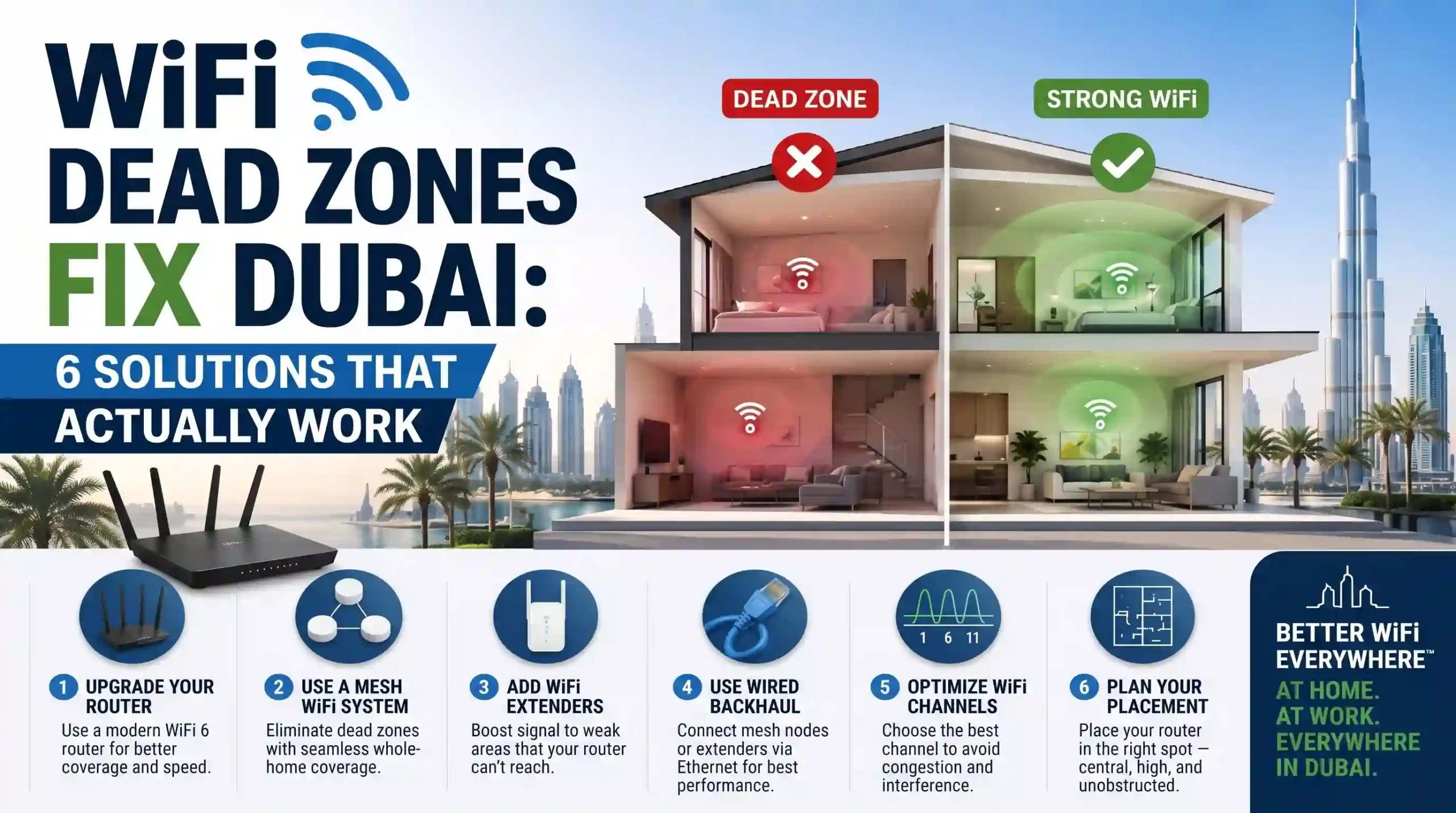
WiFi Dead Zones Fix Dubai: 6 Solutions That Actually Work
WiFi that works perfectly next to the router but drops to nothing in the bedroom, kitchen, or upstairs is one of the most frustrating connectivity problems in Dubai. These dead zones are not random. They happen because of how WiFi signals interact with the materials used to build most properties in this city.
Reinforced concrete walls, marble flooring, steel-framed glass, and multi-storey layouts all block wireless signals far more aggressively than the timber-frame and drywall construction common in other markets. A single reinforced concrete wall can reduce a WiFi signal by 20 to 30 dB at 2.4 GHz and over 50 dB at 5 GHz. On a scale where -30 dBm is a perfect signal and anything below -70 dBm is essentially unusable, just one wall can push a strong connection into dead zone territory.
The good news is that every dead zone has a fix. Here are six proven solutions, ordered from free and simple to professional-grade.
Solution 1: Reposition Your Router to the Centre of Your Space
This costs nothing and takes five minutes, yet most homes have the router placed in a corner, hidden inside a TV cabinet, or left wherever the ISP technician installed it during the initial Etisalat or du setup. Routers broadcast signal in every direction. Placing one in a corner means half that signal goes straight into the wall or out the window.
The fix is simple. Move the router to the most central location possible, elevated off the floor (a shelf at chest height works well), and away from metal objects, mirrors, fish tanks, and microwave ovens. Keep it out of enclosed cabinets where heat builds up and signal gets trapped.
This fix works best in smaller spaces like studio or one-bedroom apartments. In multi-room or multi-floor Dubai properties with concrete walls, repositioning helps at the margins but rarely solves the core problem on its own.
Solution 2: Switch to the 2.4 GHz Band for Distant Rooms
Most modern routers broadcast on both 2.4 GHz and 5 GHz bands. The 5 GHz band delivers faster speeds but has a much shorter range and loses significantly more signal through walls. The 2.4 GHz band is slower but penetrates concrete and brick far more effectively.
If the router broadcasts separate network names for each band (like “HomeWiFi” and “HomeWiFi_5G”), connect devices in distant rooms to the 2.4 GHz network. If the router uses band steering with a single network name, disabling band steering in the router settings and splitting the networks manually gives more control over which band each device uses.
This provides a usable connection in rooms where 5 GHz drops completely, but 2.4 GHz is more congested and slower. It is a useful stopgap, not a permanent solution for serious dead zones.
Solution 3: Add a WiFi Range Extender for a Single Dead Spot
A WiFi extender picks up the existing WiFi signal and rebroadcasts it into the dead zone. They plug into a power outlet, cost between AED 80 and AED 300, and take about 10 minutes to set up. TP-Link, Netgear, and D-Link all sell them widely across the UAE.
The important detail is placement. The extender should sit halfway between the router and the dead zone, in a spot where it still receives a strong signal from the router. Placing it inside the dead zone itself gives it nothing strong to rebroadcast.
The trade-off is real, though. Extenders cut bandwidth roughly in half because they use the same radio to receive and retransmit. They also typically create a second network name, which means devices do not switch automatically as you move through the property. For a single dead spot like a home office or balcony, an extender works as a budget fix. For whole-home coverage problems, it tends to create more frustration than it solves.
Solution 4: Install a Mesh WiFi System for Whole-Home Coverage
A mesh WiFi system replaces a single router with multiple nodes placed throughout the property. All nodes share one network name, and devices switch between them seamlessly while moving between rooms. Unlike extenders, quality mesh systems use a dedicated wireless backhaul channel, which avoids the speed penalty.
This is arguably the most effective solution for most Dubai villas and large apartments. A three-node mesh system from brands like TP-Link Deco, Netgear Orbi, or Ubiquiti UniFi typically covers a two- or three-storey villa with consistent signal in every room, including kitchens, majlis areas, balconies, and upper floors.
Node placement matters more than node quantity. Three nodes placed badly will perform worse than two nodes placed well. Each node needs to be within range of at least one other node, and testing signal strength at each location before permanently mounting anything saves a lot of trial and error.
Mesh systems typically cost AED 500 to 2,500 depending on the brand and number of nodes. For most Dubai homes, this is the best balance of performance, convenience, and cost.
Solution 5: Run Ethernet Cable to Wired Access Points
This is the gold standard for eliminating WiFi dead zones permanently. Instead of relying on wireless signals to fight through concrete, an Ethernet cable (Cat6 or Cat6A) runs from the router to dedicated wireless access points installed in each zone of the property. Each access point connects to the network by cable and broadcasts its own strong WiFi signal locally.
Because the backhaul is wired, there is zero wireless signal loss between the router and the access point. Every AP delivers full-speed WiFi as if the router were sitting right there in the room. This is exactly how hotels, offices, and commercial spaces deliver consistent WiFi across large areas.
Ubiquiti UniFi and TP-Link Omada access points are popular choices for this type of setup, typically mounted on ceilings or high on walls with cables run through conduit. It requires more installation work than a mesh system, but the performance and reliability are significantly stronger.
This solution costs AED 1,500 to 5,000+ depending on the number of access points and cable runs. If a property is under construction or renovation, running cables during the fit-out costs a fraction of retrofitting later. Companies like WiFi Tech handle the full process from cable routing to AP configuration for homes and offices across Dubai.
Solution 6: Get a Professional WiFi Site Survey Before Spending Money
If repositioning, switching bands, and adding extenders have all failed, the problem likely requires proper diagnosis before investing in more hardware. A professional WiFi site survey maps signal strength in every room using spectrum analysis tools, identifies exactly where and why dead zones exist, and recommends the right solution for the specific layout and construction materials involved.
This step prevents the most common and most expensive mistake in WiFi troubleshooting: buying the wrong solution. Homeowners who were about to spend AED 2,000 on a mesh system sometimes only need a simple router repositioning and channel change. Others who keep adding extender after extender actually need a wired access point setup from the start.
Many WiFi service providers in Dubai offer free or low-cost site surveys. It is worth taking advantage of one before committing to equipment purchases.
Which Solution Fits Your Property?
| Property Type | Best Solution | Typical Cost |
| Studio or 1-bed apartment | Router repositioning + band switching | Free |
| 2-3 bed apartment | Mesh WiFi system (2 nodes) | AED 500 – 1,000 |
| Small villa (2-3 bed) | Mesh WiFi system (3 nodes) | AED 800 – 1,500 |
| Large villa (4+ bed, multi-floor) | Wired access points | AED 2,000 – 5,000+ |
| Office (10-50 people) | Wired APs + enterprise router | AED 3,000 – 8,000+ |
| Single dead spot (1 room) | WiFi extender | AED 80 – 300 |
The right fix depends on the property, the construction materials, and the budget. Starting with the free solutions and working upward is the most practical approach for most people.
Frequently Asked Questions
Why are WiFi dead zones so common in Dubai?
Dubai properties are built with reinforced concrete, marble floors, and steel-framed glass. These materials block WiFi signals far more than timber and drywall. A single reinforced concrete wall can reduce signal strength by 20 to 30 dB at 2.4 GHz, which is enough to turn a strong connection into an unusable one. Multi-floor layouts compound the issue because the signal passes through both walls and concrete floor slabs.
Do WiFi extenders actually work?
They work for a single, specific dead spot on a budget. But they cut speed roughly in half, often create a separate network name, and do not scale well across multiple rooms. For whole-home coverage problems, a mesh system or wired access points deliver far better results.
Is mesh WiFi better than a WiFi extender?
For whole-home coverage, yes. Mesh systems maintain a single network name, support seamless roaming between nodes, and quality models use a dedicated backhaul channel to avoid the speed penalty that extenders impose. They cost more upfront but solve the problem properly.
How do I test WiFi signal strength in my home?
Download a WiFi analyzer app on your phone and walk through every room. Note the signal reading in dBm. Anything between -30 and -50 dBm is excellent, -50 to -67 dBm is good enough for streaming and video calls, and anything weaker than -70 dBm is a dead zone that needs fixing.
Can WiFi dead zones be fixed without running cables?
Yes. Mesh WiFi systems are fully wireless and solve most residential dead zone problems without any cabling. However, in properties with very thick concrete walls or more than three floors, wired access points remain the most reliable option because they bypass the wall penetration problem entirely.
How much does it cost to fix WiFi dead zones in Dubai?
Router repositioning is free. A mesh system costs AED 500 to 2,500 including installation. Wired access points run AED 1,500 to 5,000+ depending on the number of APs and cable runs. A site survey from a local WiFi provider helps identify which option a specific property needs before committing to any purchase.