


Hafilat Balance Check: How to Check Your Abu Dhabi Bus Card Balance Online
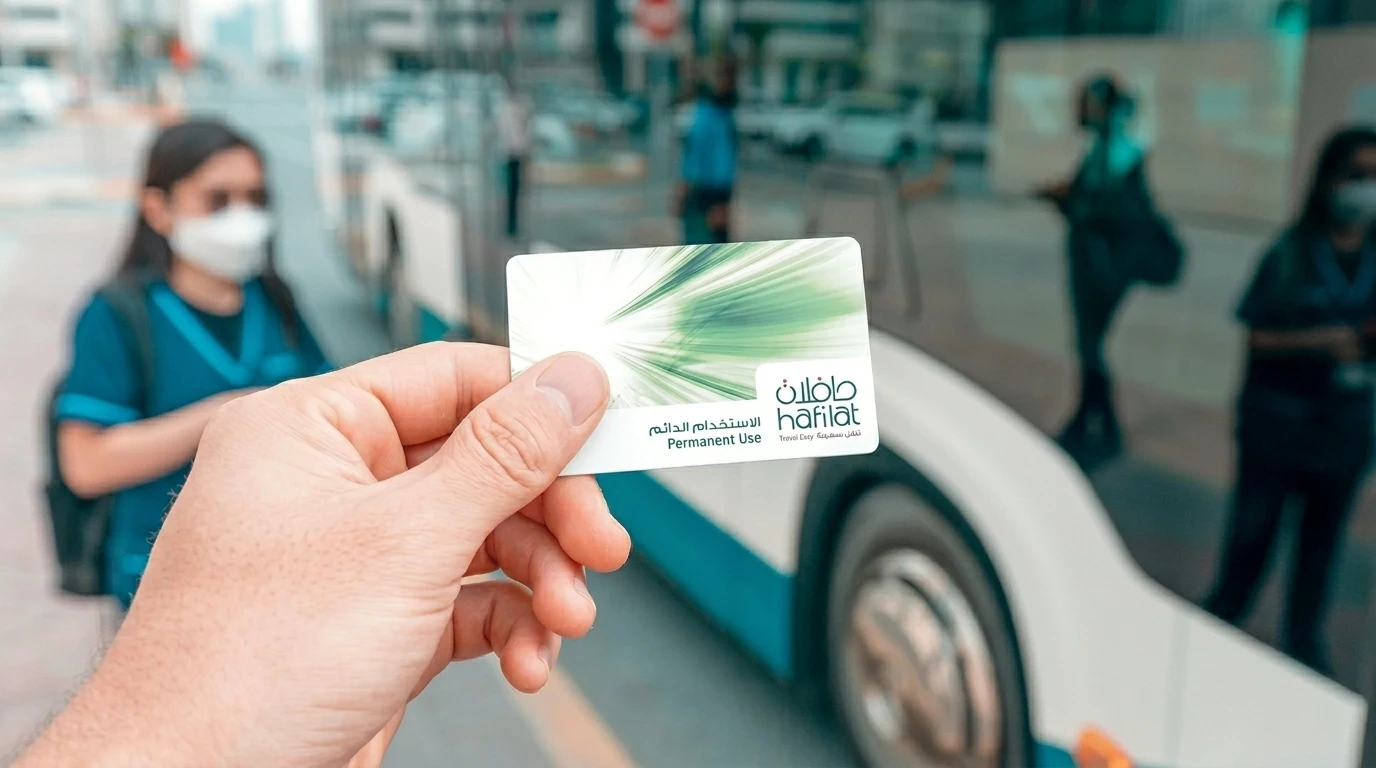
A Hafilat balance check is one of the most searched commuter tasks in Abu Dhabi, and for good reason. The Hafilat card is the official contactless smart card for public buses across Abu Dhabi City, Al Ain, and Al Dhafra, managed by Abu Dhabi Mobility (formerly the Integrated Transport Centre, or ITC). If your balance drops below the required minimum, the validator will reject your card and you may face a fine of up to AED 200.
This 2026 guide walks you through every working method to perform a Hafilat card balance check, including the official hafilat.darb.ae portal, the Darb mobile app, the Payit wallet, SMS, Ticket Vending Machines (TVMs), bus validators, and Customer Happiness Centres. You will also find recharge instructions, card types, fares, and answers to the most common commuter questions.
What Is the Hafilat Card?
The Hafilat card is Abu Dhabi’s official prepaid smart travel card for public bus transportation. The word “Hafilat” means “bus” in Arabic, and the card uses Automated Fare Collection (AFC) technology similar to Dubai’s Nol card. Passengers simply tap in when boarding and tap out when exiting, and the system automatically deducts the correct fare based on the distance traveled.
Key features:
- Contactless tap-and-go payment on all Abu Dhabi public buses
- Works across Abu Dhabi City, Al Ain, and Al Dhafra
- Can store stored-value credit (T-Purse) or time-based passes
- Issued and managed by Abu Dhabi Mobility under the Department of Municipalities and Transport (DMT)
- Integrated with the Darb digital platform for online services
For broader UAE travel and lifestyle information, you can explore more guides on our Abu Dhabi category page.
Why You Should Check Your Hafilat Balance Regularly
Performing a Hafilat check balance before each trip prevents avoidable issues:
- Avoid boarding rejection. A minimum of AED 10 is recommended before boarding.
- Skip the AED 200 fine for traveling with insufficient balance or failing to tap out.
- Track spending and history, especially useful for students and workers managing monthly budgets.
- Confirm pass validity if you use a weekly or monthly subscription.
- Detect unauthorized use if your card has been lost or shared.
Where to Find Your 16-Digit Hafilat Card Number
Every method below requires the card serial number printed on the back of your physical Hafilat card. It is a 16-digit number, usually grouped in sets of four. Enter it exactly as printed, with no spaces unless requested, and double-check the difference between the digit 0 and the letter O.
All Methods to Perform a Hafilat Balance Check
There are seven reliable ways to do a Hafilat bus card balance check in 2026. Choose the one that best fits your situation.
1. Hafilat Balance Check Online via hafilat.darb.ae
The official portal is the most detailed method and works on both desktop and mobile browsers.
Steps:
- Open your browser and go to https://hafilat.darb.ae (always confirm the HTTPS padlock).
- Click Recharge Card from the menu.
- Enter your 16-digit Hafilat card serial number in the input field.
- Click OK to display your current balance.
- The screen will show your available credit in AED, card serial number, expiry date, and card type (Anonymous, Personalized, etc.).
This is the official method recommended by Abu Dhabi Mobility for a Hafilat card balance check online, and it also lets you view recent transactions and recharge instantly.
2. Hafilat Balance Check via the Darb Mobile App
The Darb app (sometimes called Darbi) is the official mobile companion for Abu Dhabi public transport.
Steps:
- Download Darb from the Google Play Store or Apple App Store.
- Sign up using your mobile number and email, or log in with your existing account.
- Tap My Cards and then Add Card, then enter your 16-digit serial number.
- Your live balance, expiry date, and recent trips appear instantly.
- Enable low-balance alerts so you never run out unexpectedly.
The Darb app also offers live bus tracking, route planning, and pass purchases, making it the most convenient option for daily commuters.
3. Hafilat Balance Check via Payit Wallet
Payit, the digital wallet powered by First Abu Dhabi Bank, supports Hafilat services directly. If you also use FAB services, you may want to read our related guide on FAB balance check online for managing your bank account alongside your transport card.
Steps:
- Open the Payit app and go to UAE Bills & Recharge.
- Select Public Transport and choose a Hafilat Card.
- Enter your 16-digit card number and give the card a nickname.
- View your balance, recent transactions, and top up directly from the wallet.
4. Hafilat Balance Check by SMS (3009)
For users without internet access, the SMS method offers a quick fallback.
Steps:
- From your registered UAE mobile number, type: BAL <16-digit card number> (for example: BAL 1234567890123456).
- Send the message to 3009.
- You will receive an automated reply showing your current balance and expiry date.
Standard SMS charges apply. If the service does not respond, use the Darb app or visit a TVM instead, since SMS coverage can vary by network.
5. Hafilat Balance Check at Ticket Vending Machines (TVMs)
TVMs are self-service kiosks located at major bus stations and transport hubs.
Steps:
- Locate a TVM at any major station, such as Abu Dhabi Central Bus Station, Mussafah Bus Station, or Al Ain Central Bus Station.
- Select your language (English or Arabic).
- Tap Balance Inquiry on the touchscreen.
- Place your Hafilat card on the reader.
- Your balance appears on screen, and you can print a receipt.
Abu Dhabi Central Bus Station is near Al Wahda Mall, which is a convenient stop for both shopping and topping up your card.
6. Hafilat Balance Check on the Bus Validator
When you tap your card on the on-board validator while boarding, the screen briefly shows your remaining balance after the fare deduction. This is the fastest, no-effort method, although it is best used as a quick reference rather than the primary check.
7. Hafilat Balance Check at Customer Happiness Centres and Retailers
You can also check your balance in person at:
- ITC Customer Service / Customer Happiness Centres on Electra Street, Abu Dhabi
- Abu Dhabi Central Bus Station and Al Ain Bus Station
- Authorized retail partners such as Lulu Hypermarket, ADNOC, SPAR, Abu Dhabi Co-op, and Lulu Exchange
For commuters traveling across the Northern Emirates, you may also find our guide to the Muwaileh Bus Terminal in Sharjah useful for connecting routes.
Hafilat Balance Check Methods: Comparison Table
| Method | Speed | Internet Needed | Best For |
| hafilat.darb.ae portal | Instant | Yes | Detailed view and history |
| Darb mobile app | Instant | Yes | Daily commuters |
| Payit wallet | Instant | Yes | FAB customers |
| SMS to 3009 | 1 to 2 minutes | No | Basic phones |
| Ticket Vending Machine | Instant | No | At the station |
| Bus validator | Instant | No | Quick check on boarding |
| Customer Happiness Centre | Instant | No | In-person help |
How to Recharge Your Hafilat Card
If your Hafilat card check balance result shows a low amount, recharge using one of these methods:
- Online: Log in to hafilat.darb.ae, select Recharge Card, enter the amount (AED 10 to AED 150), and pay by Visa, MasterCard, Apple Pay, or Samsung Pay.
- Darb app: Tap Recharge / Top Up, select an amount, and pay with a saved card.
- Payit wallet: Choose Hafilat under UAE Bills & Recharge.
- TVMs and BR (Banknote Reloader) kiosks: Recharge using cash or card at any station.
- Authorized retailers: Lulu, ADNOC, and Co-op outlets can process top-ups.
Online and MBME kiosk top-ups can take up to two hours to sync. A single tap on any bus validator usually pushes the new balance through instantly.
Hafilat Card Types
| Card Type | Price | Validity | Eligibility |
| Anonymous | AED 10 | Up to 16 years | Anyone, no ID required |
| Personalized | AED 10 | 5 years | UAE residents with Emirates ID |
| Student | AED 5 | 5 years | Verified school/university students |
| Senior Citizen | Free or discounted | 5 years | Elderly Abu Dhabi residents |
| People of Determination | Free | 5 years | Verified disability certificate holders |
Hafilat Fares and Passes
- City single trip: Starts at AED 2 per journey (distance-based)
- 7-Day Pass: AED 35 for unlimited rides
- 30-Day (Monthly) Pass: AED 95 (subsidized AED 80 for eligible social support beneficiaries)
- Maximum stored balance: AED 150
- Balance validity: Three months from the last recharge or use
You can also browse more practical UAE money management content on our Finance section.
Common Issues and Practical Tips
- Card not recognized? Re-enter the number carefully and check for 0 versus O.
- Online top-up not showing? Wait up to two hours, then tap a validator once.
- Card inactive? If unused for over three months, visit a Customer Happiness Centre with valid ID.
- Lost personalized card? Call 800 555 (Abu Dhabi Mobility) to block the card and transfer the balance.
- Never share your 16-digit serial number on unofficial websites.
Hafilat Fines to Avoid
According to Abu Dhabi Mobility regulations, you can be fined AED 200 for:
- Boarding with insufficient balance
- Failing to tap in or tap out
- Misusing a discounted card (for example, using a student card as an adult)
- Traveling without a valid pass or credit
Fines must be settled within 30 days through the Hafilat Fine section of the Darb portal, otherwise late penalties apply.
Conclusion
A quick Hafilat balance check takes less than thirty seconds and saves you from boarding rejections, fines, and travel delays. The fastest options in 2026 are the Darb app and the official hafilat.darb.ae portal, while TVMs and Customer Happiness Centres remain reliable offline alternatives. Make it a habit to check your balance the night before travel, enable low-balance alerts in the Darb app, and recharge during off-peak hours for the smoothest experience across Abu Dhabi’s public transport network.