


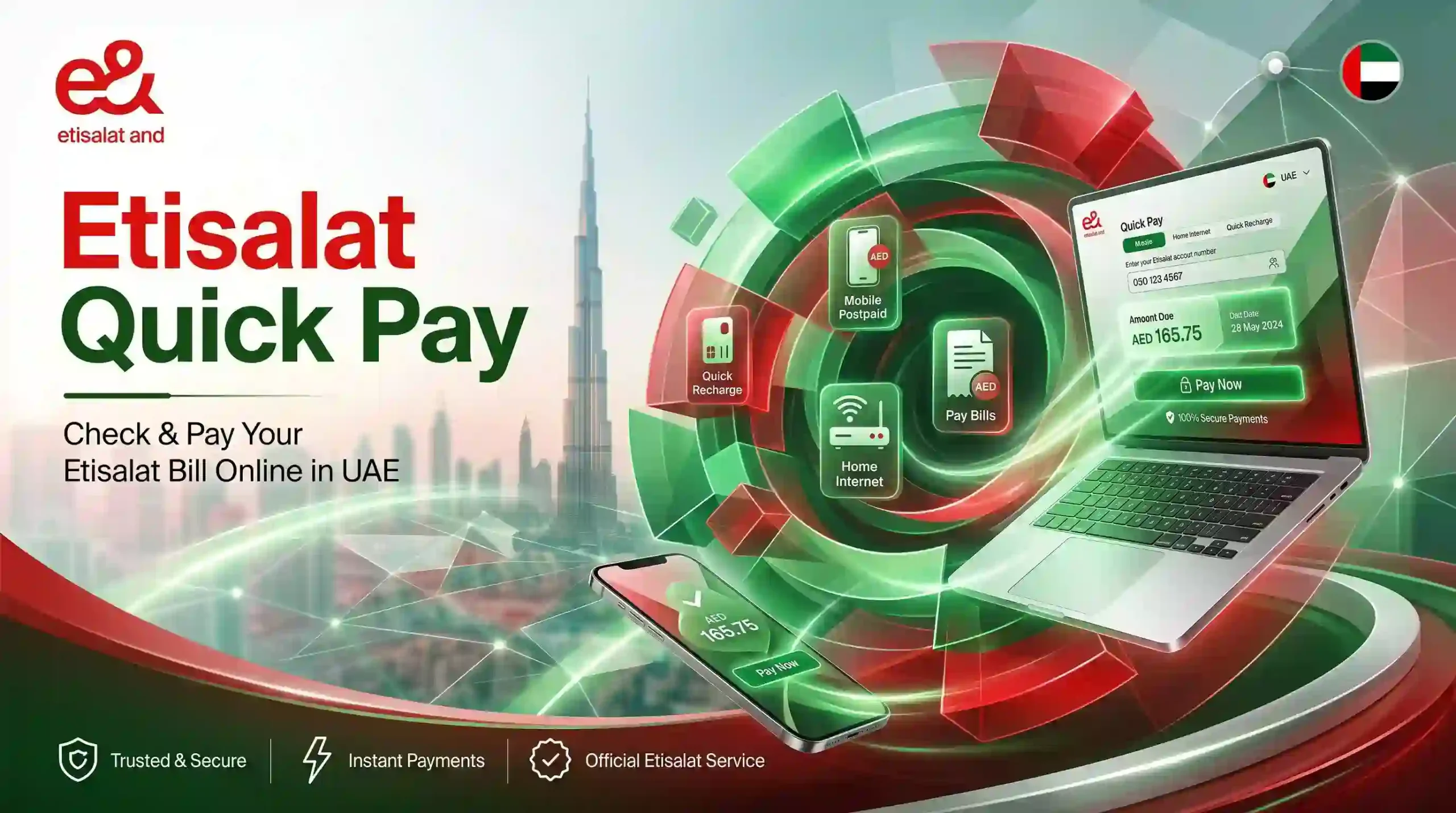
Etisalat Quick Pay: The Complete UAE Guide to Bills and Recharge (2026)
Need to pay an Etisalat bill or top up a prepaid line in under two minutes? Etisalat Quick Pay lets you do exactly that with no login, no password, and no app required. Open the official page at etisalat.ae/quickpay, enter your mobile, landline, or account number, choose your amount, pay with a UAE or GCC card, and you are done. Your balance or bill status updates in seconds.
That single tool solves the most common payment headache in the UAE: a missed due date or an empty prepaid balance at the worst possible moment. This guide explains every part of Etisalat Quick Pay for 2026, including the personal service, the business and B2B options, the 25% recharge bonus, accepted cards, alternative payment channels, security tips, and answers to the questions people ask most.
Whether you live in Dubai, run a company in Abu Dhabi, or are a visitor on a tourist SIM, you will find the exact method you need below.
What Is Etisalat Quick Pay?
Etisalat Quick Pay is a no-login payment service on the official Etisalat UAE website that lets you recharge prepaid credit or settle postpaid bills without signing in to an e& account. You do not need a username, a password, UAE PASS, or any prior registration. You only need the number tied to the account and a valid payment card.
Etisalat rebranded to e& (Emirates Telecommunications Group) in 2022, so you will see both names used across the UAE. The service is the same whether it is called Etisalat Quick Pay or e& Quick Pay. The company itself was founded in Abu Dhabi in 1976 and remains the largest telecom operator in the country, serving millions of mobile, internet, and eLife customers.
Quick Pay is built for one job: speed. It does not show your full usage history, plan details, or account settings. For that level of detail you would use the e& UAE app or the self-care portal. If you only want to pay and move on, Quick Pay is the fastest route in the UAE.
A useful habit is to confirm the result after you pay. Once a recharge clears, you can verify your new credit in seconds using an Etisalat balance check code such as *121# for prepaid lines.
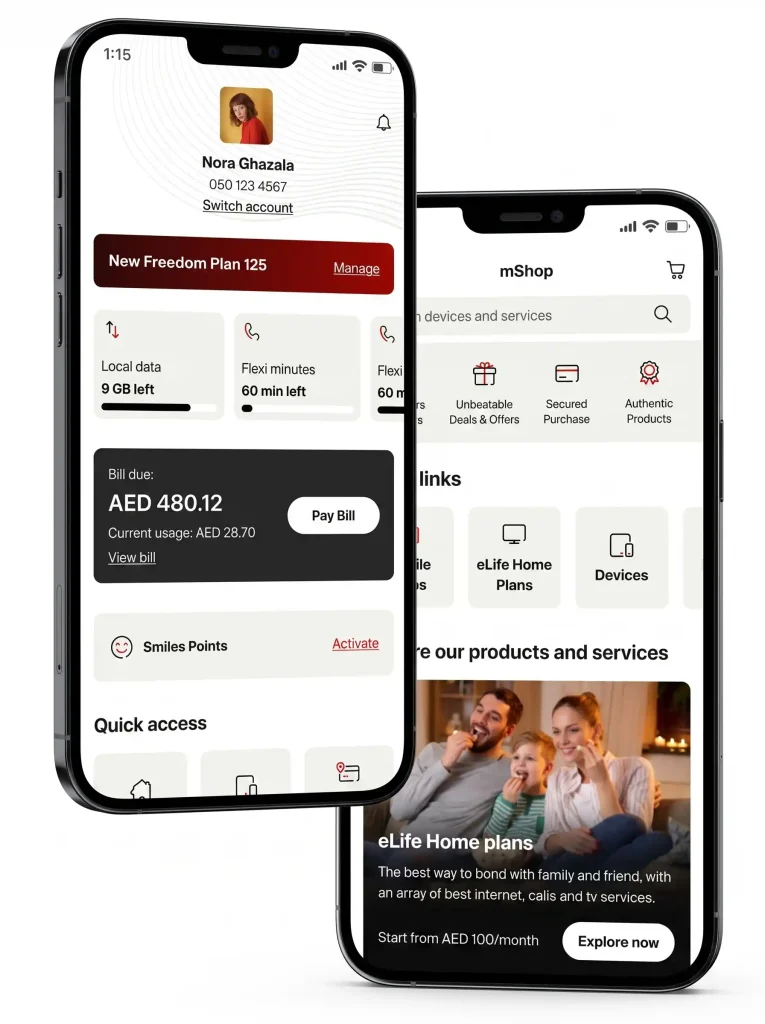
What You Can Pay With Etisalat Quick Pay
Quick Pay handles far more than mobile bills. From a single entry screen you can cover most Etisalat services in the UAE.
| Service | What you pay for | Account type |
| Mobile recharge | Prepaid Wasel credit and data top-ups | Prepaid |
| Mobile bill | Monthly postpaid mobile bill | Postpaid |
| Landline | Fixed home or office line charges | Postpaid |
| eLife internet and TV | Home broadband and television subscriptions | Postpaid |
| Business bills | Company mobile, landline, and internet accounts | Business and B2B |
The service accepts three kinds of identifiers from one place: a mobile number, a fixed landline number, or an internet account number. This makes Quick Pay the quickest option when the app or a USSD code is not available to you.
How to Use Etisalat Quick Pay Online (Step by Step)
The process changes slightly depending on whether you are recharging a prepaid line or clearing a postpaid bill, but both take roughly the same time.
Recharge a Prepaid Number
- Open any browser and go to the official Quick Pay and recharge page at etisalat.ae/quickpay.
- Under “Your e& Account”, enter your prepaid mobile number, which starts with 05.
- Tap Next to confirm the account.
- Select the recharge amount. The minimum that qualifies for the bonus credit offer is AED 10.
- Enter your credit or debit card details.
- Confirm the payment. A success message appears on screen and an SMS is sent to the registered number.
Your credit usually appears instantly, and the Etisalat quick pay recharge bonus is added automatically when your top-up qualifies.
Pay a Postpaid or eLife Bill
- Go to etisalat.ae/quickpay.
- Enter your postpaid mobile number, landline number, or internet account number.
- Tap Next. The system pulls your outstanding bill amount for the current cycle.
- Confirm the amount or choose a partial amount where the option is available.
- Enter your card details.
- Confirm to complete the etisalat quick pay bill payment. Your account is marked as paid in the e& system right away, which prevents service interruption and late charges.
The flow is almost identical for both tasks. The main difference is that a prepaid number shows recharge options, while a postpaid or landline number shows the bill due.
Etisalat Quick Pay Bonus Credit: The 25% Offer Explained
One of the strongest reasons to use the online channel is the recharge bonus. According to e&, online recharges of AED 10 or above earn a 25% bonus credit, applied on top of the recharged amount immediately after the transaction is confirmed.
Here is how the bonus works at common recharge values.
| Recharge amount | Bonus credit (25%) | Total credit received |
| AED 10 | AED 2.50 | AED 12.50 |
| AED 30 | AED 7.50 | AED 37.50 |
| AED 50 | AED 12.50 | AED 62.50 |
| AED 100 | AED 25.00 | AED 125.00 |
A few conditions are worth knowing before you rely on it:
- The bonus applies to online recharges only, through the Quick Pay portal or the e& UAE app. Voucher top-ups, USSD recharges, and most in-store payments do not qualify.
- The bonus credit is typically valid for a limited window after it is applied, so use it within the stated period rather than letting it expire.
- Postpaid bill payments do not earn the recharge bonus. The offer is for prepaid credit only.
Promotional terms change from time to time, so check the live amount on the Quick Pay page before you top up. The percentage shown there at the moment of payment is the one that applies.
Accepted Cards and Payment Limits
Knowing the rules before you start saves a failed transaction.
- Card origin: Only credit and debit cards issued in the UAE or the wider GCC are accepted for online payments. Cards issued outside the GCC are usually declined.
- Recharge limit: Prepaid recharges are commonly capped at a per-transaction limit. If you want to add more than the cap, run more than one transaction.
- Bill payments: For a postpaid or eLife bill, you can pay the full outstanding amount, and partial payment is available on many accounts.
- Digital wallets: Where supported, options such as Apple Pay, Google Pay, and the e& money wallet speed up checkout.
If you want to make sure funds are ready before you pay, it is sensible to run a quick FAB balance check online or check your own bank balance first, especially for a larger postpaid bill.
Etisalat Business Quick Pay (B2B Bill Payment)
Companies in the UAE have their own version of the service, and this is where many guides fall short. Etisalat Business Quick Pay is a no-login method for paying e& business bills using basic billing details, without signing in to the Business Online Portal. It is built for speed when you already know the business account number or billing reference.
Quick Pay vs the Business Online Portal
Many UAE businesses confuse the two. They overlap, but they serve different needs.
| Feature | Etisalat Business Quick Pay | Business Online Portal |
| Login required | No | Yes |
| Best for | Fast one-off bill payment | Full account management |
| Invoices and usage reports | No | Yes |
| Payment allocation | Limited | Yes |
| Add accountant or admin users | No | Yes |
| Service changes and orders | No | Yes |
In short, use Business Quick Pay when you only want to clear a pending bill quickly. Use the Business Online Portal when you need invoices, usage reports, account control, service changes, or payment allocation across several accounts.
Etisalat Business Quick Pay Login and Access
Strictly speaking, the fast Business Quick Pay flow does not require a login at all, which is the point. You enter the business account number or reference, confirm the amount, and pay. For anything beyond a simple payment, you log in to the Business Online Portal, where the “etisalat business quick pay login” most people search for actually lives. Registering for the portal usually requires the company account details, a valid trade licence, Emirates ID information, a registered mobile number, and verification through OTP or UAE PASS. A representative acting on behalf of the company may also need a Letter of Authorisation, which can now be issued digitally through UAE PASS.
Party ID and B2B Reference Number
Two identifiers matter for business payments through offline channels:
- Party ID: a unique identifier for your company account, used at e& Smart Payment Machines and some other channels.
- B2B reference number: a transaction reference you generate, often used when paying by cheque or settling specific invoices.
Keep your latest bill nearby so you enter the correct account and reference. This avoids payment allocation problems, where a payment lands on the account but is not matched to the right invoice.
Paying Business Bills by Cheque
For companies that pay by cheque, the Business Online Portal lets you choose to pay one or more bills fully or partially. You generate a B2B reference number, then submit the cheque at any e& Smart Service Machine. You can also download your billing report, fill in the amounts to pay, and re-upload it to produce the reference. This suits finance teams that need a clear paper trail.
Using Your Account ID Instead of a Phone Number
On the Quick Pay entry screen there is an option to use an account ID rather than a phone number. This is helpful for two groups: businesses managing several lines under one account, and internet-only subscribers who do not have an associated mobile number.
An account ID is a unique numeric identifier assigned to each e& account, and it is not the same as a mobile number. You can find it on any Etisalat bill, in the e& UAE app under account details, or by calling customer care on 101 after identity verification.
Other Ways to Pay Etisalat Bills and Recharge
Quick Pay is the fastest digital option, but it is not the only one. Each channel below suits a different situation.
| Method | Internet needed | Login needed | Best for |
| Quick Pay (etisalat.ae) | Yes | No | Fast one-off payment or recharge |
| e& UAE app | Yes | Yes | Full account view plus payment |
| Autopay | Set up once | Yes to set up | Hands-off monthly billing |
| Smart Payment Machines (EPMs) | No | No | Cash, card, or cheque in person |
| Exchange houses | No | No | Cash payment with a receipt |
| Online banking and ATMs | Yes | Yes (bank) | Paying from a bank account |
| SMS pay link | Yes | No | Paying straight from a bill alert |
e& UAE app. The official app, available on the Apple App Store, Google Play, and Huawei AppGallery, shows your balance, bills, and packages, and lets you pay or recharge with the bonus applied.
Autopay. Register a card once and your bill is settled automatically each month on a fixed date. This is the simplest way to avoid late fees if you travel often or simply forget due dates.
Smart Payment Machines. Over a hundred e& kiosks across the seven emirates accept cash and card, and many sit inside malls, hypermarkets, and metro stations. Business users can settle bills here using a Party ID or B2B reference number.
Exchange houses. Partners such as Al Ansari Exchange accept Etisalat bill payments in cash, which suits anyone who prefers paying over the counter with a printed receipt.
Online banking and ATMs. Major UAE banks, including FAB, Emirates NBD, and Dubai Islamic Bank, support Etisalat bill payment and recharge through their apps and ATMs.
SMS pay link. After your bill is generated, Etisalat sends an SMS with a secure payment link. Tap it, confirm, and pay. Always check that the link begins with etisalat.ae before you enter card details.
Etisalat Quick Pay Personal vs Business: Which Should You Use?
The personal and business versions look similar but are aimed at different users.
- Etisalat quick pay personal is for individuals paying their own mobile, landline, or eLife bill, or topping up a prepaid line. It is the right choice for residents, families covering a relative’s bill, and visitors.
- Etisalat business quick pay is for companies settling one or more corporate accounts. It pairs with the Business Online Portal for fuller control over invoices, users, and usage.
A single-owner business often uses personal-style Quick Pay for simple payments and only moves to the portal as the number of lines, branches, and invoices grows. Larger companies benefit from the portal’s reporting and payment allocation, while still keeping Quick Pay handy for urgent one-off payments.
Is Etisalat Quick Pay Safe? Security Tips
Quick Pay uses encrypted, PCI-compliant payment gateways, and your card details are not stored after the transaction. The service itself is secure. The real risk is fake lookalike pages, so a few habits keep you safe:
- Pay only on the official etisalat.ae website or the official e& UAE app. Check that the address is correct before entering anything.
- Be wary of third-party sites that promise unusually large bonuses or ask only for card details. Many are phishing pages.
- Never share a one-time password (OTP) with anyone, including callers claiming to be from Etisalat.
- Save the confirmation SMS or email as your receipt, and note the transaction ID in case you need support.
The same caution applies to other UAE accounts you manage. If you keep an eye on your bank and transport cards, this fits the same routine as a regular Hafilat balance check in Abu Dhabi.
Troubleshooting Common Etisalat Quick Pay Problems
If something goes wrong, work through this list before contacting support.
- Number not recognised. Enter the number in standard UAE format without the country code, for example 05XXXXXXXX for mobile or 02XXXXXXX for an Abu Dhabi landline, not the international +971 format. If it still fails, switch to the account ID option.
- The card declined. Confirm the card is issued in the UAE or GCC. International cards are usually rejected. Check that the card has not expired and has sufficient funds.
- Payment failed mid-transaction. You will see an error and the card is not charged. Try again, or use a different card or payment method.
- Balance not updated. A recharge can take a few minutes to reflect. Wait ten to fifteen minutes, then check again with *121#. If it still has not appeared, contact support with your transaction ID.
- Wrong number paid. Call 101 immediately. If the credit has not been used, the team can sometimes reverse it.
- Bonus not applied. Confirm you recharged AED 10 or more online. Bonuses do not apply to vouchers, USSD, or in-store top-ups.
If the issue persists, customer care on 101 can verify the account and resolve most payment problems quickly.
Conclusion
Etisalat Quick Pay is one of the most practical digital tools available to UAE residents and businesses. It removes the friction from paying bills and recharging: no login, no queue, no fixed hours, and a 25% bonus on qualifying prepaid top-ups. Individuals get a fast way to settle mobile, landline, and eLife bills, while companies get a quick route to clear business accounts, backed by the Business Online Portal for deeper control.
Use it correctly and the rest takes care of itself. Always pay through the official etisalat.ae site or the e& UAE app, verify the number before you confirm, keep the transaction ID, and never share an OTP. Pair that with a quick balance check after each recharge, and you will stay connected across Dubai, Abu Dhabi, and the rest of the UAE without a single missed payment.
Frequently Asked Questions
What is Etisalat Quick Pay?
Etisalat Quick Pay is a no-login service on the official Etisalat UAE website that lets you recharge a prepaid line or pay a postpaid, landline, eLife, or business bill. You enter the number tied to the account, choose an amount, and pay with a UAE or GCC card, with no username or password needed.
How do I use Etisalat Quick Pay online?
Go to etisalat.ae/quickpay, enter your mobile, landline, or account number, tap Next, choose the recharge amount or confirm the bill due, enter your card details, and confirm. You receive an on-screen success message and an SMS confirmation within seconds.
Does Etisalat Quick Pay give bonus credit on recharge?
Yes. e& offers a 25% bonus credit on online recharges of AED 10 or above through Quick Pay or the e& UAE app. The bonus is added immediately, applies to prepaid recharge only, and does not apply to vouchers, USSD, or most in-store top-ups. Promotional terms can change, so check the live offer before paying.
Can I pay my Etisalat bill without an account or login?
Yes. Quick Pay is designed for exactly this. No e& account, UAE PASS, or password is required. You only need the number on the account and a valid UAE or GCC card.
What is Etisalat Business Quick Pay?
Etisalat Business Quick Pay is a no-login way for companies to pay e& business bills using basic billing details, without signing in to the Business Online Portal. It is best for fast, one-off payments. For invoices, usage reports, payment allocation, and user management, businesses use the Business Online Portal instead.
How do I access the Etisalat business quick pay login?
The fast Business Quick Pay payment flow does not need a login. The login most people search for belongs to the Business Online Portal, where you manage accounts in full. Registering for the portal usually requires company details, a valid trade licence, Emirates ID information, a registered number, and OTP or UAE PASS verification.
Which cards can I use for Etisalat Quick Pay?
Only credit and debit cards issued in the UAE or the GCC are accepted for online payments. Cards issued outside the GCC are usually declined. Where available, digital wallets such as Apple Pay and e& money can also be used.
Why is my number not recognised on Etisalat Quick Pay?
Enter the number in standard UAE format without the country code, such as 05XXXXXXXX for mobile or 02XXXXXXX for an Abu Dhabi landline, rather than the +971 format. If it still fails, use the account ID option, or call customer care on 101 for assisted payment.
Is Etisalat Quick Pay safe to use?
Yes. The service uses encrypted, PCI-compliant payment gateways, and card details are not stored. The main risk is fake lookalike pages, so always pay on the official etisalat.ae website or the e& UAE app, and never share an OTP.
Can tourists use Etisalat Quick Pay?
Yes. Visitors with an Etisalat tourist or visitor SIM can recharge through Quick Pay just like residents, as long as they use a UAE or GCC-issued card. This keeps you connected for maps, ride hailing, and calls across the UAE.