


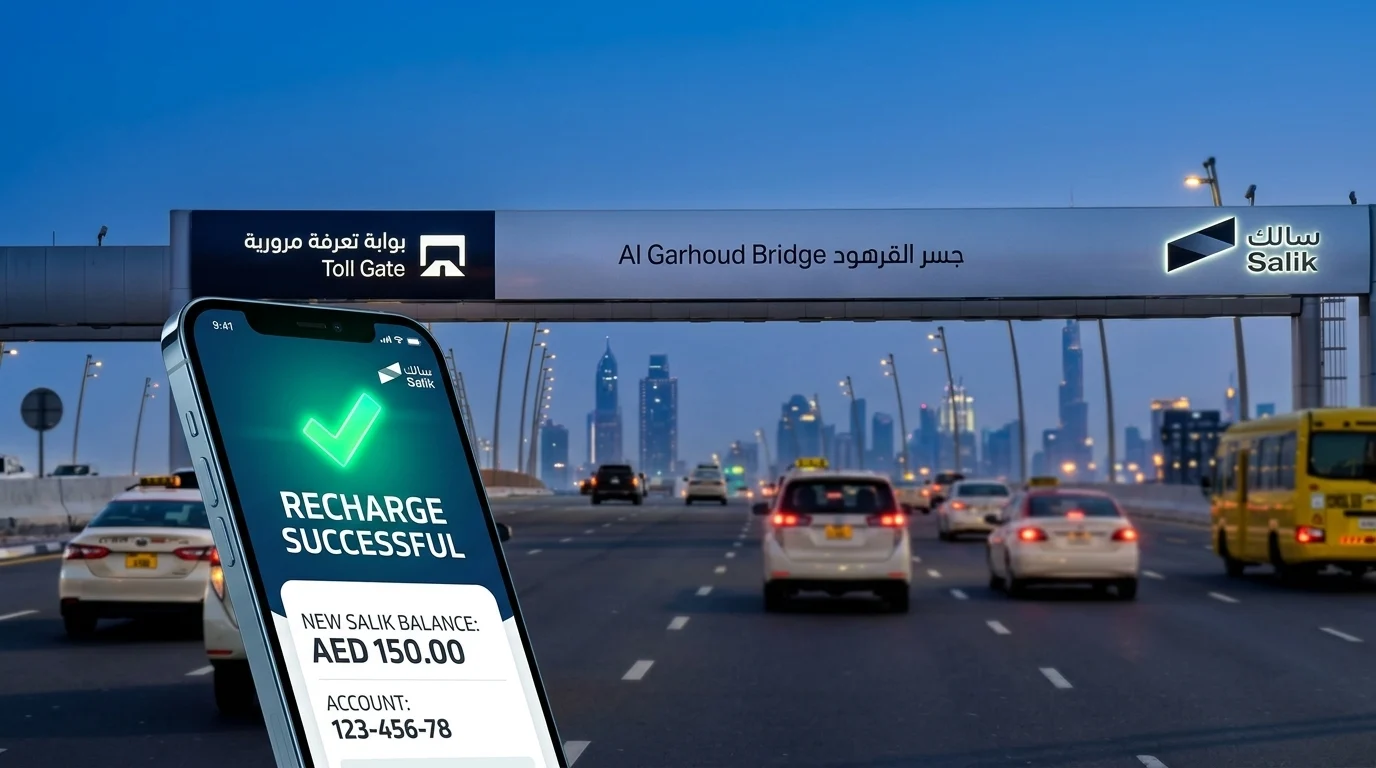
Salik Recharge: Topping Up Your Dubai Toll Account
If you drive in Dubai, keeping your Salik account topped up is not optional. A single crossing with an empty balance can turn into an AED 50 fine within days, and that fine can pile up if you keep driving through gates without settling it. The good news is that salik recharge takes less than two minutes once you know where to go, and you do not always need your account number or a login to do it.
This guide walks through every official way to recharge Salik in 2026, including recharge by plate number, SMS, the Smart Salik app, banking apps, and in-person options at petrol stations and kiosks. It also explains the rules that catch most drivers off guard, such as the five working day grace period, the AED 50 minimum top-up, and what happens if you let your balance run out.
Salik is operated by Salik Company PJSC under the Roads and Transport Authority (RTA), and it has been Dubai’s electronic toll collection system since 2007. Whether you are a resident managing a daily commute or new to driving in Dubai, this article covers everything you need for a smooth recharge and answers the questions people search for most, from recharging without an account number to checking whether your top-up went through.
What Is Salik and Why Recharging Matters
Salik uses RFID tags mounted on your windscreen, read automatically by overhead sensors as you pass a toll gate. There is no barrier and no need to stop. The toll amount is deducted instantly from your prepaid Salik balance. If your car does not have a working tag, automatic number plate recognition (ANPR) cameras capture the plate as a backup, which is why keeping your registered plate details current matters just as much as the tag itself.
As of 2026, Dubai operates 10 active Salik toll gates positioned along major corridors, including Sheikh Zayed Road, the Al Maktoum and Al Garhoud bridges, Al Mamzar, the Airport Tunnel, Al Safa, Al Barsha, and Jebel Ali. Two gates, Business Bay Crossing and Al Safa South, were added in late 2024, and the network has grown steadily as new roads open. If you are also renewing your vehicle registration around the same time, check out our guide to RTA vehicle renewal online in Dubai, since unpaid Salik violations can block your renewal at RTA service centres.
Because tolls are deducted automatically and continuously, an account with insufficient funds is one of the easiest ways to accumulate fines without realizing it. That is why understanding salik recharge options, and building a habit around them, saves both money and hassle.
Salik Toll Rates in 2026
Since 31 January 2025, Salik has used dynamic, time-based pricing rather than a single flat rate. Knowing the current rates helps you estimate how much to recharge and when it makes sense to shift your travel time.
| Time Period | Toll Fee (AED) |
| Weekday peak hours (6am to 10am, 4pm to 8pm) | 6 |
| Weekday off-peak hours | 4 |
| Sundays (all day) | 4 |
| Late night (1am to 6am, every day) | Free |
| Ramadan | Adjusted timings, check Salik’s official notice |
There is no daily cap on total charges, so a commute that crosses several gates during peak hours can add up quickly. Two gates positioned close together in the same direction, such as the Al Mamzar North and South gates, only charge once if you pass both within an hour of each other. This is worth knowing when you plan how much to load onto your account.
Salik Recharge Rules You Should Know Before You Top Up
A few rules apply across every recharge method, and understanding them prevents wasted trips to the website or app.
- Minimum recharge amount: AED 50, and top-ups must be in multiples of AED 50.
- Maximum recharge amount: Up to AED 50,000 per transaction.
- Grace period: If your balance is insufficient when you cross a gate, you have five working days from the trip date to recharge. Weekends and public holidays do not count against this window.
- Fine for missing the grace period: AED 50 per day on which you passed a gate with an insufficient balance, capped at one violation per day per vehicle, according to Salik’s official support FAQ.
- Processing time: Recharges through the official website, apps, and SMS are applied instantly. Bank transfers or cash deposit machines may take a few minutes longer.
- No recharge fees: Salik does not charge a transaction fee for topping up through official channels. SMS recharge costs around 30 fils per message, billed by your mobile operator, not by Salik.
Keeping these numbers in mind makes it much easier to choose the right method and the right amount when you recharge.
How to Recharge Salik: Every Method Explained
There are several ways to complete a salik recharge, and the best one depends on whether you are near your phone, at a petrol station, or trying to top up someone else’s account without their login details.
1. Salik Recharge Online via the Official Website
Recharging online is the fastest option for most drivers and works whether or not you remember your account number.
Steps for salik online recharge:
- Go to the official Salik website at salik.ae.
- Sign in with your registered email and password, or continue as a guest.
- Select “Recharge a Salik Account” from the services menu.
- Choose whether to recharge using your Salik account number or your vehicle’s plate number.
- Enter the recharge amount in multiples of AED 50.
- Pay using a credit or debit card, or enter a 12-digit Salik recharge card number.
- Confirm the transaction. Your new balance updates immediately on screen.
This method supports both salik recharge with account number and salik recharge by plate number online, which is useful if you have forgotten your login credentials or are topping up a family member’s or employee’s vehicle.
2. Salik Recharge by Plate Number (No Account Needed)
One of the most searched questions is how to complete a salik recharge online without account number details. The plate number method solves exactly this problem.
On the Salik website, the Quick Recharge tool lets you top up using only your vehicle’s plate number, plate code, and emirate of registration, along with a valid payment card. You do not need to log in, remember a password, or know your Salik account number. This is the quickest route for salik recharge by plate number online free of any app download, and it works well for tourists, new residents, or anyone recharging a car that is not registered under their own account.
Because this method only requires public plate details and a card, always confirm you are on the genuine salik.ae domain before entering payment information. A growing number of lookalike websites target exactly this kind of search query.
3. Recharge Using the Smart Salik App
The Smart Salik app, available on Google Play and the App Store, is built for drivers who want quick access on the move.
Steps to recharge via the app:
- Download and open the Smart Salik app.
- Sign in with your Salik account, or set up a profile using your plate and mobile number.
- Tap “Recharge Now” and select a payment method: card, Apple Pay, or a recharge card number.
- Enter the amount you want to add.
- Confirm the payment. The updated balance appears on the confirmation screen instantly.
Many drivers also link a payment card once and enable notifications, which makes future top-ups a matter of a few taps.
4. Recharge Through the DubaiNow App
DubaiNow centralises several government and utility payments in one place, including Salik, alongside services like NOL card balance and utility bills.
- Open DubaiNow and sign in using UAE Pass.
- Tap the “Driving” section, then select “Salik.”
- Add your account using your Salik account number and PIN.
- Choose a recharge amount, or set up auto top-up so your balance refills automatically once it drops below a threshold you set.
- Pay by card or Apple Pay.
Auto top-up through DubaiNow is one of the most reliable ways to avoid ever crossing a gate with an empty balance, since the system tops up before you get close to zero.
5. Recharge via SMS
SMS is a useful backup for salik recharge by phone number when you have a recharge card but no internet access.
- Buy a Salik recharge card from petrol stations such as ENOC, EPPCO, or ADNOC.
- Scratch the card to reveal the 12-digit recharge number.
- Send an SMS to 5959 in this format: R (12-digit recharge number) (Salik account number) (Salik PIN).
- You will receive a confirmation SMS with your updated balance within moments.
This method costs approximately 30 fils per SMS, charged by your mobile network, not by Salik.
6. Salik Recharge by Phone (Helpline)
For salik quick recharge without a smartphone, the helpline works around the clock.
- Call 800-SALIK (800-72545) from inside the UAE, or +971 4 233 5000 from outside the UAE.
- Choose your preferred language.
- Follow the automated prompts, or wait to speak with an agent.
- Provide your Salik account number and PIN, or your plate number and mobile number if you are not registered.
- Enter your 12-digit recharge card number or follow instructions for card payment.
- You will receive a confirmation message once the balance updates.
This route works well for elderly drivers, tourists without the app installed, or anyone who prefers speaking to a person over navigating a website.
7. Recharge at Kiosks, Petrol Stations, and Banks
For drivers who prefer paying in cash or in person, several offline options remain available.
- Salik kiosks: Located in areas including Deira, Al Barsha, Al Aweer, Al Kifaf, Al Tawar, and Umm Ramool. Use the RTA Dubai app to locate the nearest kiosk, log in, select “Recharge,” and pay by card or recharge card.
- Petrol stations: ENOC, EPPCO, and ADNOC outlets sell recharge cards in fixed denominations, typically AED 50, AED 100, and AED 200, which can then be redeemed through the website, app, SMS, or helpline.
- Bank apps and ATMs: Banks including Emirates NBD, First Abu Dhabi Bank, Dubai Islamic Bank, and Abu Dhabi Islamic Bank allow Salik top-ups through mobile banking, ATMs, or cash deposit machines. You will typically need your Salik account number and PIN.
- Careem app: Under the bill payments section, select Salik, add your account with your plate number and code, then pay through the app.
- Tamm app (Abu Dhabi residents with Dubai vehicles): Under the “My Utilities” section, select Salik, choose your registered vehicle, and top up using UAE Pass sign-in.
Comparison of Salik Recharge Methods
| Method | What You Need | Speed | Best For |
| Salik website (Quick Recharge) | Plate number, card | Instant | No login, fastest overall |
| Salik website (account login) | Account number, password | Instant | Registered users managing history |
| Smart Salik app | Account or plate details | Instant | Frequent recharges on the go |
| DubaiNow app | UAE Pass, account number | Instant | Managing Salik with other bills |
| SMS to 5959 | Recharge card, account number, PIN | Instant | No internet access |
| Phone (800-SALIK) | Account or plate details | Instant | Tourists, non-app users |
| Kiosks | Recharge card or bank card | Instant | In-person, cash preference |
| Petrol stations | Cash for recharge card | Card is instant once redeemed | Buying a physical card |
| Bank apps and ATMs | Salik account number, PIN | Instant to a few minutes | Existing bank customers |
How to Check Your Salik Balance Before and After Recharging
Confirming your balance is just as important as topping it up. You can check it through the same channels used for recharging:
- On salik.ae, select “Check Balance,” then enter your plate number, emirate, and either your Salik account number or registered mobile number.
- Through the Smart Salik or DubaiNow apps, where your live balance shows on the home screen after signing in.
- By calling 800-SALIK and following the automated prompts.
- Via the RTA Dubai app under the Salik Services section.
Checking weekly, or setting a low-balance alert in the app, is one of the simplest habits that prevents fines altogether.
What Happens If You Do Not Recharge in Time
If your account has insufficient funds when you cross a toll gate, the crossing itself is not immediately penalised. You are given five working days from the trip date to recharge. If you fail to do so, a fine of AED 50 applies for that day, with a maximum of one violation per day regardless of how many gates you passed with an empty balance. This is confirmed directly by Salik’s official support FAQ, so it is worth building your recharge habit around this exact window rather than relying on estimates from other sources.
Unpaid Salik fines can also block vehicle registration renewal at RTA and Tasjeel centres, which is another reason to clear any outstanding balance before your Mulkiya is due. If you are dealing with multiple violations across Salik and general traffic fines, our guide on how to check and pay Dubai traffic fines online covers the process for settling everything in one place.
Setting Up Auto-Recharge to Avoid Fines Permanently
The single most effective way to avoid Salik fines is auto-recharge. Once enabled through the Salik website, Smart Salik app, or DubaiNow, your linked card is charged automatically whenever your balance drops below a threshold you choose, commonly set at AED 50 or AED 100 for regular commuters. This removes the need to remember manual top-ups entirely and is particularly useful for drivers who cross several gates daily during peak hours.
To set it up:
- Log in to your Salik account through the website or app.
- Navigate to account settings and select “Auto Recharge” or “Auto Top-Up.”
- Link a valid credit or debit card.
- Set your minimum balance threshold and the amount to be added each time.
- Save your settings. The system will now recharge automatically going forward.
Tips for Managing Your Salik Account Efficiently
- Enable auto-recharge so your balance never hits zero unexpectedly.
- Check your balance weekly, especially if you commute during peak hours when charges add up faster.
- Plan long trips by estimating how many gates you will cross and topping up accordingly before you leave.
- Buy recharge cards in advance if you regularly run low on mobile data or prefer offline top-ups.
- Keep your mobile number updated on your Salik account so SMS balance alerts reach you.
- Use the plate-number method if you are recharging a car that is not registered under your own login, such as a rental or a family member’s vehicle.
- Avoid third-party recharge sites that are not salik.ae or an official app. Several lookalike websites appear in search results and are not affiliated with Salik or RTA.
Frequently Asked Questions
How can I recharge my Salik account without logging in?
Use the Quick Recharge option on salik.ae, which only requires your plate number, plate code, emirate, and a payment card. No account login or password is needed.
What is the minimum amount for salik recharge?
The minimum is AED 50, and top-ups must be in multiples of AED 50, up to a maximum of AED 50,000 per transaction.
Can I do a salik recharge by plate number online for free?
Yes, the plate-number method itself carries no extra charge. You simply pay the recharge amount you select using a card; there is no additional fee from Salik for using this option.
How do I recharge Salik using SMS?
Buy a recharge card from a petrol station, scratch it to reveal the 12-digit number, then send an SMS to 5959 in the format: R (recharge number) (account number) (PIN). This costs about 30 fils, charged by your mobile operator.
What happens if I don’t recharge my Salik account in time?
You get five working days from the trip date to top up. After that, a fine of AED 50 per day applies, capped at one violation per day per vehicle, according to Salik’s official FAQ.
Can I recharge someone else’s Salik account?
Yes. Using the plate-number method on salik.ae or the helpline, you can top up any vehicle’s account as long as you have the correct plate details, even if it is not registered under your name.
Does recharging Salik cost extra fees?
No. Official channels, including the website, apps, kiosks, and bank transfers, do not charge a recharge fee. Only SMS recharge involves a small operator charge of roughly 30 fils per message.
How do I check if my salik recharge went through?
Check your balance immediately on salik.ae, in the Smart Salik or DubaiNow app, or by calling 800-SALIK. Official recharges through these channels update instantly.
Is there a daily cap on Salik toll charges?
No, there is no daily cap. Each gate crossing is charged separately based on the time of day, so a commute through several gates during peak hours can accumulate a noticeable daily total.
What is the Salik helpline number?
Call 800-SALIK (800-72545) from within the UAE, or +971 4 233 5000 from outside the UAE, for balance checks, recharges, and account support.
Final Thoughts
Salik recharge does not need to be complicated. Whether you prefer the speed of the plate-number Quick Recharge tool, the convenience of the Smart Salik or DubaiNow apps, or the reliability of setting up auto-recharge once and forgetting about it, the official channels cover every situation, from daily commuters to first-time visitors driving a rental car. Understanding the five working day grace period and the AED 50 fine structure means you can top up in time, every time, without paying more than the toll itself.
For more on staying compliant with Dubai’s road and transport rules, explore our guides on RTA vehicle renewal and Dubai traffic fines, or browse the wider Dubai section of Gulf Emirates for more practical guides to living and driving across the UAE.