


FAB Balance Check: 7 Fastest Ways to Check Your First Abu Dhabi Bank Balance Online
A FAB balance check is one of the most common daily banking tasks for millions of residents in the UAE. Whether you hold a full First Abu Dhabi Bank account, a Ratibi payroll card, a prepaid salary card issued through your employer, or a standard debit card, knowing your available balance in real time helps you plan spending, confirm salary credits, and avoid failed transactions at the point of sale.
This guide walks you through every official method to complete a FAB balance check online, including the mobile app, internet banking portal, SMS banking, missed call service, ATM, WhatsApp banking, and prepaid card inquiry portal. Each step is verified against First Abu Dhabi Bank’s current 2026 services, and we have added practical tips, security warnings, and troubleshooting advice that competitor articles miss.
How to Check Your FAB Bank Balance Online
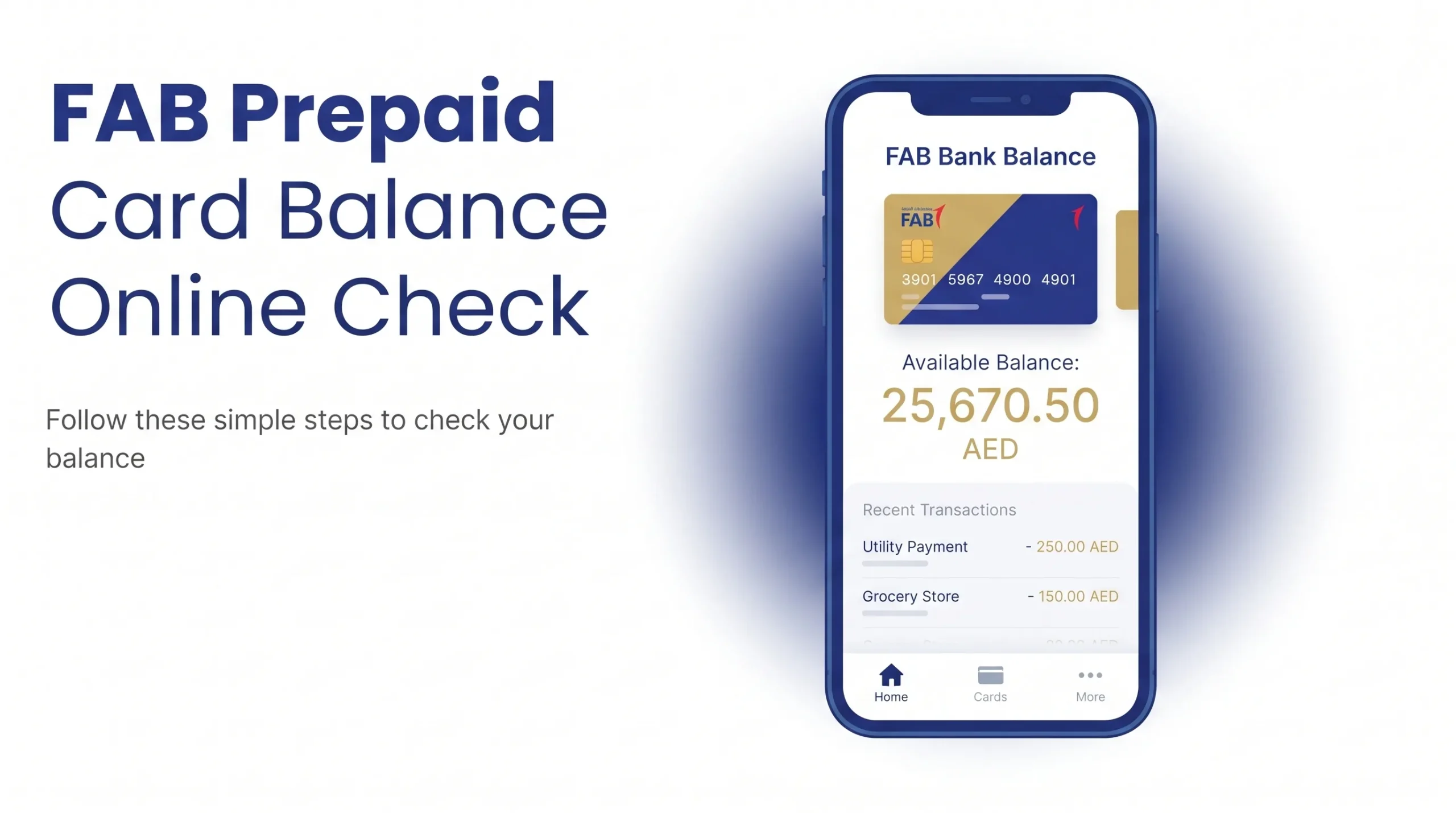
The fastest way to complete a FAB bank balance check online is through the FAB Mobile app. Open the app, log in with your passcode, Face ID, or fingerprint, and your account balance appears on the home dashboard within seconds. If you hold a Ratibi payroll card or a prepaid salary card, use the dedicated FAB Prepaid Card Inquiry portal at ppc.bankfab.com, enter your 16-digit card number, and view the balance instantly without registration.
About First Abu Dhabi Bank (FAB)
First Abu Dhabi Bank is the largest bank in the United Arab Emirates by assets and one of the safest banking institutions in the Middle East. Headquartered in Abu Dhabi, FAB was formed in 2017 through the merger of National Bank of Abu Dhabi (NBAD) and First Gulf Bank (FGB). The bank serves individuals, businesses, and government entities across the UAE and operates in more than 20 countries worldwide.
If you previously banked with NBAD, all balance checking methods have been unified under the FAB brand. You can still use your old NBAD debit or salary card until it expires, and the same online tools apply. For a detailed walkthrough on the old NBAD system, see our guide on NBAD Balance Inquiry.

7 Official Methods for FAB Balance Check in the UAE
Below are the seven verified ways to complete a FAB balance check in 2026, ranked from fastest to slowest.

1. FAB Mobile Banking App (Fastest Method)
The FAB Mobile app is the recommended method for daily FAB online balance check and account management. It works on both iOS and Android devices and displays your account balance the moment you open the app.
Steps:
- Download the FAB Mobile app from the Apple App Store or Google Play Store.
- Register using your FAB debit card number, account number, or Emirates ID.
- Set a secure passcode and enable biometric login (Face ID or fingerprint).
- Log in. Your available balance is displayed on the main dashboard.
- Tap any account to view recent transactions, mini statements, and pending amounts.
Why it stands out: Real-time notifications, in-app transfers, bill payments, card freezing, and instant balance updates after every transaction.
2. FAB Internet Banking (Website)
If you prefer a desktop experience, the official FAB online banking portal offers the same functionality as the app.
Steps:
- Visit www.bankfab.com and click Login at the top right.
- Select Personal Banking.
- Enter your username and password.
- Complete the two-factor authentication (OTP sent to your registered mobile number).
- Your account summary and available balance load on the dashboard.
Internet banking is ideal for reviewing longer statements, downloading account records, initiating international transfers, and managing standing instructions. For account safety, always verify the URL and avoid saved bookmarks from suspicious sources.
3. FAB SMS Banking
SMS banking is useful when you do not have internet access or a smartphone available.
Steps:
- Send an SMS with the keyword BAL to 2121 from your registered mobile number.
- Wait for the automated response, which contains your available balance and account details.
The service is available 24/7. Standard SMS charges from your telecom provider (Etisalat by e& or du) apply. If you also pay Etisalat bills online, our guide on Etisalat Quick Pay explains how to top up and settle bills in under two minutes.
4. FAB Missed Call Balance Enquiry
FAB offers a free missed call service for retail customers who want a quick balance check without opening an app.
Steps:
- From your registered mobile number, give a missed call to the FAB balance enquiry number.
- The call disconnects automatically after one ring.
- You receive an SMS with your available balance within a few seconds.
This method is popular among senior citizens and low-income workers who use basic mobile phones.
5. FAB ATM Balance Check
Every FAB ATM across the UAE allows a FAB ATM balance check in less than 30 seconds.
Steps:
- Insert your FAB debit, credit, or prepaid card into any FAB ATM.
- Enter your four-digit PIN.
- Select Balance Inquiry from the menu.
- Choose whether to view the balance on-screen or print a receipt.
- Remove your card once the transaction ends.
FAB operates one of the largest ATM networks in the UAE, with machines in shopping malls, metro stations, petrol stations, and residential areas across Dubai, Abu Dhabi, Sharjah, and the Northern Emirates.
6. FAB WhatsApp Banking
FAB WhatsApp banking is a newer channel that lets you check balances, view mini statements, and locate branches directly through the WhatsApp app.
Steps:
- Save the official FAB WhatsApp number to your contacts.
- Send a Hi message to start the chat.
- Verify your identity when prompted.
- Type Balance or select the balance option from the menu.
- Your available balance appears in the chat window.
Only initiate WhatsApp banking with the officially verified FAB number. Always check for the green verified badge next to the business name.
7. FAB Prepaid Card Inquiry Portal (For Ratibi and Salary Cards)
If you receive your salary on a FAB Ratibi card, a Lulu FAB salary card, or any FAB prepaid card issued through the Wage Protection System (WPS), you may not have a full bank account. In that case, use the FAB Prepaid Card Inquiry portal.
Steps:
- Open a browser and visit ppc.bankfab.com/PPCInquiry/.
- Enter your 16-digit prepaid or Ratibi card number.
- Enter the CVV printed on the back of the card.
- Complete the CAPTCHA verification.
- View your available balance and last few transactions.
No registration or password is required, which makes this the easiest option for workers who prefer not to install a mobile app. For a deeper walkthrough of every official Ratibi option, read our guide on Ratibi Card Salary Check.
Comparison Table: FAB Balance Check Methods
| Method | Best For | Speed | Requires Internet | Registration Needed |
| FAB Mobile App | Daily users, full account holders | Instant | Yes | Yes |
| Internet Banking | Detailed statements, transfers | Instant | Yes | Yes |
| SMS Banking | Basic phone users | 5 to 10 seconds | No | No |
| Missed Call | Quick check, no data | 10 to 20 seconds | No | Registered number only |
| ATM | Cash withdrawal combined | 30 seconds | No | No |
| WhatsApp Banking | Chat app users | 10 to 30 seconds | Yes | One time verification |
| Prepaid Card Inquiry Portal | Ratibi and salary card holders | 20 seconds | Yes | No |
FAB Salary Card Balance Check Online
Salaried employees in the UAE are paid through the Wage Protection System, a Central Bank initiative that transfers wages electronically through licensed banks and exchange houses. Many blue-collar workers receive their salary on a FAB Ratibi prepaid card rather than a full bank account.
To perform a FAB salary card balance check online:
- Visit ppc.bankfab.com and log in with your card details.
- Or use the FAB Mobile app if your employer registered a linked account for you.
- Or check the balance at any FAB ATM by inserting the card and selecting Balance Enquiry.
If your card was distributed through a partner, such as the Lulu FAB salary card given to Lulu Group employees, the same portal works because Lulu Exchange partners with FAB for payroll disbursement. Enter your Lulu-branded FAB card number on the standard PPC portal to see your balance.
For more Central Bank guidance on wage protection, refer to the official Central Bank of the UAE website.
FAB Ratibi Balance Check Online
The Ratibi card is a low-cost payroll solution designed for employees whose monthly salary is below AED 5,000. It functions as a prepaid card without a chequebook or overdraft facility.
Ratibi balance check steps:
- Go to the FAB Prepaid Card Inquiry portal.
- Enter your 16-digit Ratibi card number and CVV.
- View the available balance and recent salary credits.
Alternatively, call the toll-free Ratibi customer service number inside the UAE at 600 522298. From outside the UAE, dial +971 2 4996279. Have your Emirates ID and card number ready before calling.
FAB E-Dirham Card Balance Check
Some government fee payments in the UAE are made through the e-Dirham card, and certain versions are issued in partnership with First Abu Dhabi Bank. To check FAB e-Dirham balance online, log in to the official e-Dirham website using your card credentials or use the e-Dirham mobile app. FAB branches also assist with e-Dirham balance queries in person.
Common FAB Balance Check Problems and How to Fix Them
Competitor articles rarely address what happens when the standard methods fail. Here are the most common issues UAE users report and how to resolve them.
Wrong password or locked account
After three failed login attempts, the FAB app locks your profile for security. Use the Forgot Username or Forgot Password link on the login screen and follow the OTP verification steps. If the lock persists, call the FAB customer care number below.
Balance not updated after transaction
Bank balances sometimes take a few minutes to reflect after point-of-sale purchases, especially on international merchants. Wait 10 to 15 minutes and refresh. Contactless transactions typically appear faster than swipe transactions.
Ratibi card portal shows an error
Ensure you are using the exact 16-digit card number without spaces. If the card has expired, contact your employer for a replacement. Damaged cards must be replaced at the nearest FAB branch with your Emirates ID.
No OTP received on registered mobile
Confirm your mobile number is active and not on airplane mode. If you recently changed your SIM, visit a FAB branch with your Emirates ID to update the registered number. Never share OTP codes with anyone, even someone claiming to be from FAB.
App keeps crashing
Update the app to the latest version, clear the cache, or reinstall it. FAB supports Android 8 and above and iOS 14 and above.
Security Tips for FAB Online Banking
Because a FAB balance check online involves sensitive financial data, always follow these safety practices:
- Download the FAB Mobile app only from the official Apple App Store or Google Play Store.
- Never click banking links sent through SMS or email from unknown senders.
- FAB will never ask for your PIN, password, or OTP over the phone.
- Enable biometric login and transaction notifications inside the app.
- Log out after every session on shared devices.
- Report suspicious activity to FAB immediately by calling 600 525500.
The UAE Cybersecurity Council also recommends reporting phishing attempts through the eCrime platform. Learn more about official financial safety guidance from the Central Bank of the UAE.
FAB Customer Care Numbers
Keep these numbers saved in case you need urgent help with your balance or account.
| Service | Inside UAE | Outside UAE |
| FAB Personal Banking | 600 525500 | +971 2 6811511 |
| FAB Ratibi Card | 600 522298 | +971 2 4996279 |
| Lost or Stolen Card | 600 525500 | +971 2 6811511 |
If you also need to check traffic violations issued through your Emirates ID or vehicle plate, our tutorial on EVG Fine Check UAE explains the full process. For personal accounts and general banking guidance, browse our full Finance section.
Which FAB Balance Check Method Should You Use?
Choose the method that matches your daily routine.
- Frequent users and full account holders: The FAB Mobile app is the fastest and most feature-rich option.
- Ratibi and prepaid salary card holders: Use the PPC portal at ppc.bankfab.com because it does not need registration.
- Basic phone users or those without internet: SMS banking or missed call service is the simplest solution.
- Cash withdrawal users: Combine your balance check with a withdrawal at any FAB ATM.
- Occasional or elderly users: Visit any FAB branch with your Emirates ID for face-to-face assistance.
Final Thoughts on FAB Balance Check
A FAB balance check in 2026 is easier than ever thanks to First Abu Dhabi Bank’s multi-channel approach. Between the mobile app, internet banking, SMS, missed call, ATM, WhatsApp banking, and the dedicated prepaid card portal, every FAB customer has at least three simple ways to check their balance in under a minute.
Choose the method that fits your device, the type of card you hold, and your internet availability. Salaried workers on Ratibi or prepaid cards can rely on the PPC portal, while account holders benefit most from the app. Whichever route you take, follow the security guidance above to keep your money safe, and bookmark this page for future reference.
For related UAE finance and payment guides, explore Gulf Emirates topics such as Hafilat Balance Check for Abu Dhabi bus commuters and our full NBAD Balance Inquiry walkthrough for legacy accounts.
FAQ Section
How can I do a FAB balance check online for free?
All official FAB balance check methods are free, including the FAB Mobile app, internet banking, ATM, missed call, and the Ratibi prepaid card portal. Standard SMS charges from your mobile provider may apply for SMS banking.
What is the FAB balance check number by SMS?
Send BAL to 2121 from your registered mobile number to receive your available balance by SMS.
How do I check my FAB Ratibi card balance online?
Visit ppc.bankfab.com/PPCInquiry/, enter your 16-digit Ratibi card number and CVV, complete the CAPTCHA, and view your available balance instantly. No registration is needed.
Can I check my FAB salary account balance without the mobile app?
Yes. You can use internet banking on any browser, call the missed call service, send an SMS to 2121, use any FAB ATM, or contact WhatsApp banking. The mobile app is the fastest option but not the only one.
Is FAB balance check available 24/7?
All digital methods, including the app, internet banking, SMS, missed call, ATM, and prepaid card portal, are available 24 hours a day, seven days a week.
Can I check my Lulu FAB salary card balance online?
Yes. Lulu FAB salary cards are issued in partnership with First Abu Dhabi Bank, so the standard PPC portal at ppc.bankfab.com accepts Lulu-branded FAB card numbers.
What should I do if my FAB balance is incorrect?
First, refresh the app or portal after 10 to 15 minutes because some transactions take time to post. If the balance is still wrong, call FAB customer care at 600 525500 and request a formal dispute.
Do I need an Emirates ID to check my FAB balance?
You do not need an Emirates ID for a routine balance check. However, you will need it to register for the mobile app, reset a password, or visit a branch.
Can I check my FAB balance from outside the UAE?
Yes. The FAB Mobile app and internet banking portal work internationally as long as you have internet access. You can also call the international customer care number at +971 2 6811511.
What is the minimum balance required in a FAB salary account?
FAB personal savings accounts typically require a minimum balance of AED 3,000 to avoid monthly maintenance fees. Salary accounts with a qualifying transfer often waive this fee. Confirm the current terms with FAB directly.