

Ratibi Card Salary Check: Every Official Way to See Your Balance in 2026
A Ratibi card salary check is the first thing most workers in the UAE do on payday. You want to know one simple thing: has my salary landed yet, and how much is available right now? The fastest answer is the official Prepaid Card Inquiry (PPC) portal run by Magnati at ppc.magnati.com/ppc-inquiry. Enter the last digits of your card number and your Card ID, complete the captcha, and your balance appears in seconds. No app, no login, and no bank account needed.
That is the short version. The fuller picture matters, though, because Ratibi is a prepaid salary card, not a normal bank account, and using the wrong tool is the single biggest reason people think their balance is “missing.” This guide walks through every official method for a Ratibi salary card check, the exact details each one requires, the costs involved, and what to do when your salary does not appear on time.
What Is a Ratibi Card?
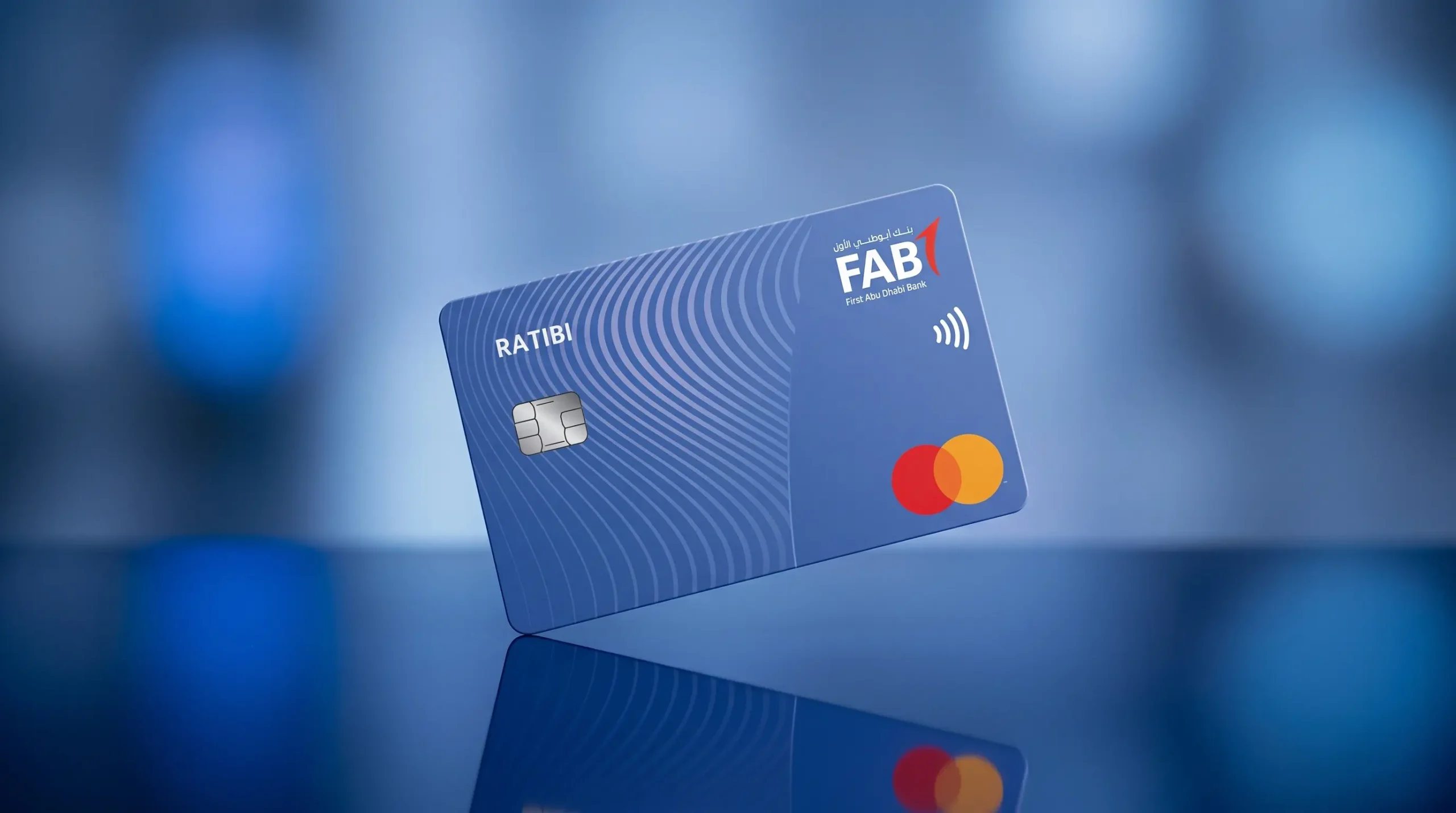
The Ratibi card is a prepaid salary card issued by First Abu Dhabi Bank (FAB). It lets an employer pay wages directly onto a card so the employee does not need to open a traditional current or savings account. The card is built for workers earning up to AED 5,000 per month, which makes it popular across construction, hospitality, retail, security, and domestic work sectors.
Ratibi is fully compliant with the UAE Wage Protection System (WPS), the electronic salary transfer scheme supervised by the Ministry of Human Resources and Emiratisation (MOHRE) and the Central Bank of the UAE. Because salaries flow through WPS, payments are tracked, timely, and traceable, which protects both the worker and the employer.
A few core features define the card:
- No bank account or minimum balance is required.
- You can withdraw cash from ATMs across the UAE.
- It works for in-store and online payments anywhere Visa or Mastercard is accepted.
- It supports international use, including ATM withdrawals abroad.
- It sits inside a regulated, WPS-compliant payroll framework.
Why People Still Search “NBAD Ratibi Salary Card Check”
If you have searched for an nbad ratibi card salary check or an nbad ratibi salary card balance check, you are not mistaken, just looking at history. NBAD stands for the National Bank of Abu Dhabi. In 2017, NBAD merged with First Gulf Bank to create First Abu Dhabi Bank. The Ratibi product carried over into FAB, so the ratibi nbad salary card balance check you remember is now simply handled through FAB and its payments arm, Magnati. The methods below are the current, correct ones in 2026.
What You Need Before You Check Your Balance
Two pieces of information cause almost every problem on the Magnati portal, so it is worth getting them straight before you start.
| Detail | Where to find it | Notes |
| Card number | The 16 digits printed on the front of the card | The portal usually asks for the last 4 digits only |
| Card ID | A separate reference number on the card face or the paper carrier in your welcome envelope | This is not your card number; it is the most common point of confusion |
| PIN | Set by you at a FAB ATM | Needed for ATM checks and withdrawals, not for the online portal |
| Registered mobile | The number your employer linked to the card | Needed for SMS or app verification |
The Card ID is the detail people miss. It is printed separately from the long card number, often on the front of the card or on the leaflet that came inside the envelope from your employer. If you cannot find it, ask your HR or payroll team first, since they usually keep a record, or visit a FAB branch with your Emirates ID.
How to Do a Ratibi Card Salary Check: 6 Official Methods
There is no single “best” method for everyone. The right one depends on whether you have a smartphone, internet access, and which details you have on hand. Here is a quick comparison, followed by step-by-step instructions for each.
| Method | Type | Speed | What you need | Typical cost |
| PPC Magnati portal | Online | Seconds | Card digits + Card ID | Free |
| Payit wallet | Online | Seconds | Emirates ID + card details | Free |
| ATM balance inquiry | Offline | 1 to 2 min | Card + PIN | Free at FAB ATMs |
| SMS banking | Offline | 1 to 3 min | Registered mobile | Small SMS charge |
| Phone / IVR banking | Offline | 3 to 5 min | Card details for verification | Standard call rate |
| FAB Mobile app | Online | Seconds | App login (if supported) | Free |
1. PPC Magnati Portal (Fastest Online Method)
The Prepaid Card Inquiry portal is the official online tool for a Ratibi salary card balance check. It is operated by Magnati on behalf of FAB, it is free, and it does not require you to register or download anything.
- Open any browser and go to ppc.magnati.com/ppc-inquiry.
- Enter the last digits of your Ratibi card number in the first field, exactly as the screen requests.
- Enter your Card ID in the second field.
- Type the captcha security code shown on the page.
- Select Go to submit.
- Your available balance and recent transactions appear immediately.
The portal is bilingual, so you can use English or Arabic. It tends to slow down between the 25th and 28th of the month, when salaries are processed and traffic is highest. If it loads slowly on payday, wait a few minutes and try again, or use an ATM in the meantime.
2. Payit Wallet (Best for Ongoing Tracking)
Payit is the official digital wallet from FAB, and it works particularly well for Ratibi cardholders who want to track their balance regularly rather than checking a portal each time.
- Download Payit from the App Store or Google Play.
- Register using your UAE mobile number and Emirates ID.
- Choose the Ratibi cardholder option and link your card.
- Verify with the OTP sent to your registered mobile number.
- Open the app anytime to see your balance and full salary transaction history.
Payit adds value beyond a simple balance check. You can view a complete record of salary credits, which is useful as proof of payment, and in many cases you can use features such as money transfers to send funds home to family. For workers who remit money abroad, this turns a basic salary card into a more practical everyday tool.
3. ATM Balance Inquiry (Best Offline Method)
If you do not have a smartphone or internet access, an ATM is the most reliable option for a Ratibi salary card check.
- Insert your Ratibi card into any ATM in the UAE.
- Enter your 4-digit PIN.
- Select Balance Inquiry.
- View your balance on screen, and print a receipt if the machine offers one.
Balance inquiries are free at FAB ATMs. Other UAE bank ATMs may charge a small fee of around AED 1 to AED 2 per inquiry, so FAB-branded machines are the cheaper choice. If you have never set your PIN, you can do this at a FAB ATM by selecting PIN Services and following the prompts, using your Card ID to complete the process.
4. SMS Banking (Quick, but Availability Varies)
SMS banking lets you check your balance without the internet, by texting a short code from the mobile number registered to your card. This is convenient, but it is honest to note that SMS support is not guaranteed for every Ratibi program, and the exact short code can differ depending on how your card was issued and registered.
For that reason, the safest approach is to confirm the current SMS keyword and number from your welcome SMS, your employer’s HR, or the official FAB Ratibi page before relying on it. If an SMS attempt fails or returns nothing, your number may not be registered with the card, in which case the Magnati portal or Payit is the better route.
5. Phone and IVR Banking
If you prefer to speak to someone or cannot reach a portal or ATM, you can check your balance by phone.
- FAB customer care: 600 52 5500 (within the UAE)
- International: +971 2 681 1511
- Ratibi-specific helpline: 600 52 2298 (useful for lost cards and card-specific issues)
When you call, the automated system or agent will ask for card details to verify your identity before sharing your balance, so keep your Ratibi card and Emirates ID nearby.
6. FAB Mobile App (Only If Your Card Is Supported)
This is where a lot of online guides get it wrong, so read this carefully. The FAB Mobile app is designed mainly for customers with full FAB bank accounts, such as savings, current, or credit products. For prepaid Ratibi cardholders, the card may show only limited information, or it may not appear in the app at all, depending on how it was configured.
If your employer has set you up with FAB mobile banking access alongside your Ratibi card, you can login and view your prepaid card under the Cards section. If your card does not show up, that is normal for many Ratibi holders and not a fault. In that case, use the Magnati portal or Pay It instead. If you also hold a regular First Abu Dhabi Bank account, our detailed guide to FAB balance check online covers the app, online banking, ATM, and SMS options for current and savings accounts in full.
Ratibi vs Regular FAB Account: Which Tool Do You Actually Need?
This single distinction explains most “my balance is wrong” or “my salary is not showing” complaints. Mixing up the two leads people to the wrong tool.
| Ratibi prepaid card | Regular FAB account | |
| Account type | Prepaid payroll card | Full bank account |
| Primary balance tool | Magnati PPC portal or Payit | FAB Mobile app or online banking |
| Login required | No (portal) | Yes |
| Salary cap | Up to AED 5,000/month | No cap |
| Card ID needed | Yes, for the portal | No |
In short, if you receive your wages on a Ratibi card, lead with the Magnati portal, Payit, or an ATM. The FAB app is a convenience that may or may not display your card, not the primary method.
Why Your Ratibi Card Salary Is Not Showing
A zero or unchanged balance after payday does not usually mean money is lost. The most common reasons are timing and processing, not error.
- WPS processing delay. Salaries are credited only after your employer submits the WPS payroll file. Credits can take 24 to 48 hours to appear, and some post late in the evening or on the next business day.
- Pending holds. Recent card purchases or holds can temporarily lower the available balance. These usually clear within 24 to 72 hours.
- Employer has not run payroll. If two business days have passed and nothing has arrived, the file may not have been submitted yet.
A sensible order of action: check with your employer’s HR or payroll team first, since this resolves most cases. If they confirm the salary was sent and it still does not appear, call FAB on 600 52 5500 or the Ratibi helpline on 600 52 2298. If your employer is uncooperative or salaries are consistently late, you can raise a wage complaint with MOHRE, which oversees the Wage Protection System.

Understanding Card ID, Card Number, and the SMS Balance
Three quick clarifications that save a lot of frustration:
- Card number vs Card ID. The card number is the long 16-digit number for payments. The Card ID is a separate reference used by the Magnati portal to verify you. They are not the same.
- SMS alert vs available balance. An SMS that says your salary was credited shows the amount deposited. The portal shows your actual available balance after any pending holds or fees. If the two differ, trust the portal figure.
- The portal is the source of truth. When numbers do not match across channels, the live Magnati balance is the one to rely on.
Fees, Limits, and Costs to Know
Most everyday Ratibi card actions are free, but a few situations carry charges.
- Balance inquiries: Free at FAB ATMs; around AED 1 to AED 2 at non-FAB ATMs.
- SMS checks: A small per-message charge may apply where SMS is supported.
- International withdrawals: Cash withdrawals abroad and currency conversion typically carry fees.
- Salary threshold: The card is designed for salaries up to AED 5,000 per month. If your salary rises above that level, you will generally need to move to a regular bank account, as the Ratibi card is intended for the lower-wage WPS segment.
Keeping Your Ratibi Card and Salary Safe
Salary card holders are a frequent target for phishing, so a few habits protect you and your wages.
- Only ever check your balance on the official portal at ppc.magnati.com, the Payit app, or at an ATM. Third-party “balance check” websites cannot access your account and should never be trusted with your details.
- No legitimate bank or government department will call or message you asking for your full card number, PIN, OTP, or Card ID. Treat any such request as a scam.
- If your card is lost or stolen, call the Ratibi helpline on 600 52 2298 immediately to block it.
- Check your balance and recent transactions regularly so you can spot and report any unfamiliar charge quickly.
Building a simple routine of checking on payday and once or twice during the month helps you catch problems early, plan bill payments, and avoid declined transactions. If you manage several balances across the UAE, you may also find our guides on the Hafilat balance check for Abu Dhabi transport and the Etisalat balance check code useful for keeping the rest of your day-to-day accounts in order. You can browse more practical personal finance guides on the Gulf Emirates.
How Gulf Emirates Verified This Guide
The methods, contact numbers, and balance-check steps above reflect the current 2026 process for FAB Ratibi cardholders and were cross-checked against First Abu Dhabi Bank’s official prepaid card information and the UAE government’s Wage Protection System framework. Because banks occasionally update portal links and SMS formats, always follow links from FAB’s official Ratibi or prepaid card pages, and confirm any contact number on the official FAB website before sharing card details. This is general informational guidance, not financial advice; for account-specific issues, contact FAB directly.
Conclusion
A Ratibi card salary check is genuinely quick once you know which tool fits your situation. For most people, the official Magnati PPC portal at ppc.magnati.com is the fastest no-login option, Payit is the best choice for ongoing tracking and sending money home, and an ATM is the most reliable offline method. The one rule to remember is that Ratibi is a prepaid salary card, so the Magnati portal and Payit, not the FAB Mobile app, are your primary routes. If your salary has not appeared, give WPS processing 24 to 48 hours, check with your HR, and keep the FAB and Ratibi helpline numbers handy. With those basics in place, you will always know exactly where your money is on payday.
Frequently Asked Questions
How do I check my Ratibi card salary online?
Go to the official Magnati portal at ppc.magnati.com/ppc-inquiry, enter the last digits of your Ratibi card number and your Card ID, complete the captcha, and select Go. Your available balance and recent transactions appear instantly. It is free and needs no login or app.
What is the difference between my card number and my Card ID?
The card number is the 16-digit number on the front used for payments. The Card ID is a separate reference number, printed on the card face or the welcome carrier, that the Magnati portal uses to verify you. They are not the same, and the portal needs both pieces of information correctly.
Can I check my Ratibi card balance without the internet?
Yes. Insert your card into any UAE ATM, enter your PIN, and select Balance Inquiry. You can also use phone banking by calling FAB on 600 52 5500. Where SMS banking is supported on your card, you can text the registered short code from your linked mobile number.
Why is my salary not showing on my Ratibi card?
The most common reason is a delay in your employer’s WPS payroll submission. Credits can take 24 to 48 hours to appear, and some pending items take up to 72 hours to clear. Check with your HR or payroll team first, then call FAB on 600 52 5500 or the Ratibi helpline on 600 52 2298 if it remains unresolved.
Should I use the FAB Mobile app for my Ratibi card?
Not as your main method. The FAB app is built for full bank account holders, and Ratibi prepaid cards may show only limited details or may not appear at all. If your card does not show in the app, that is normal. Use the Magnati portal or the Payit wallet instead.
Is the Ratibi card the same as the old NBAD salary card?
In effect, yes. The National Bank of Abu Dhabi merged with First Gulf Bank in 2017 to form First Abu Dhabi Bank, and the Ratibi product continued under FAB. Searches for an NBAD Ratibi salary card balance check now point to the same FAB and Magnati system described in this guide.
How much salary can a Ratibi card hold?
The Ratibi card is designed for employees earning up to AED 5,000 per month under the Wage Protection System. If your salary rises above that threshold, you will usually need to open a regular bank account, as the card is intended for the lower-wage payroll segment.
What should I do if my Ratibi card is lost or stolen?
Call the Ratibi helpline on 600 52 2298 as soon as possible to block the card and prevent unauthorised use. Keep your Emirates ID and any card reference details ready so the agent can verify your identity and arrange a replacement.