


ATM Balance Check in UAE: The Complete Guide
Checking your account balance shouldn’t be a hassle. But with so many banks, card types, and apps in the UAE, it’s hard to know which method works for your card. Maybe you bank with a big UAE bank, or you have a salary card through the Wage Protection System, or you just want to check your balance before going shopping. In every case, an ATM is still one of the quickest and most dependable ways to see how much money you have.
This guide covers every official way to check your ATM card balance in the UAE. That includes using your card at a machine, mobile banking, SMS, USSD codes, and prepaid card websites. We also explain the steps for checking your balance at a FAB ATM and a Lulu ATM, because these two providers are behind many of the salary and money transfer cards people use here. You’ll also find the latest fee tables, safety tips, and fixes for common problems that most other guides leave out.
What Is an ATM Balance Check?
An ATM balance check, also called a balance enquiry, lets you see how much money is in your account without going to a branch or talking to a teller. You can do it at an ATM, in your bank’s mobile app, by SMS, by dialing a USSD code, or on your bank’s website.
It’s worth doing for a simple reason. When you know your balance right now, you avoid card payments getting declined, you can confirm that your salary or money transfer has arrived, and you can spot a strange transaction early. For people in the UAE who get paid through the Wage Protection System, checking the balance online is often the first thing they do on payday.
Who uses ATM balance checks most often in the UAE?
- Salaried employees confirming monthly wage credits
- Tourists and short-term visitors tracking spending on a foreign card
- Workers holding prepaid salary or Ratibi-style cards without a full bank account
- Residents managing multiple accounts across different banks
- Anyone withdrawing cash who wants to confirm funds before the transaction
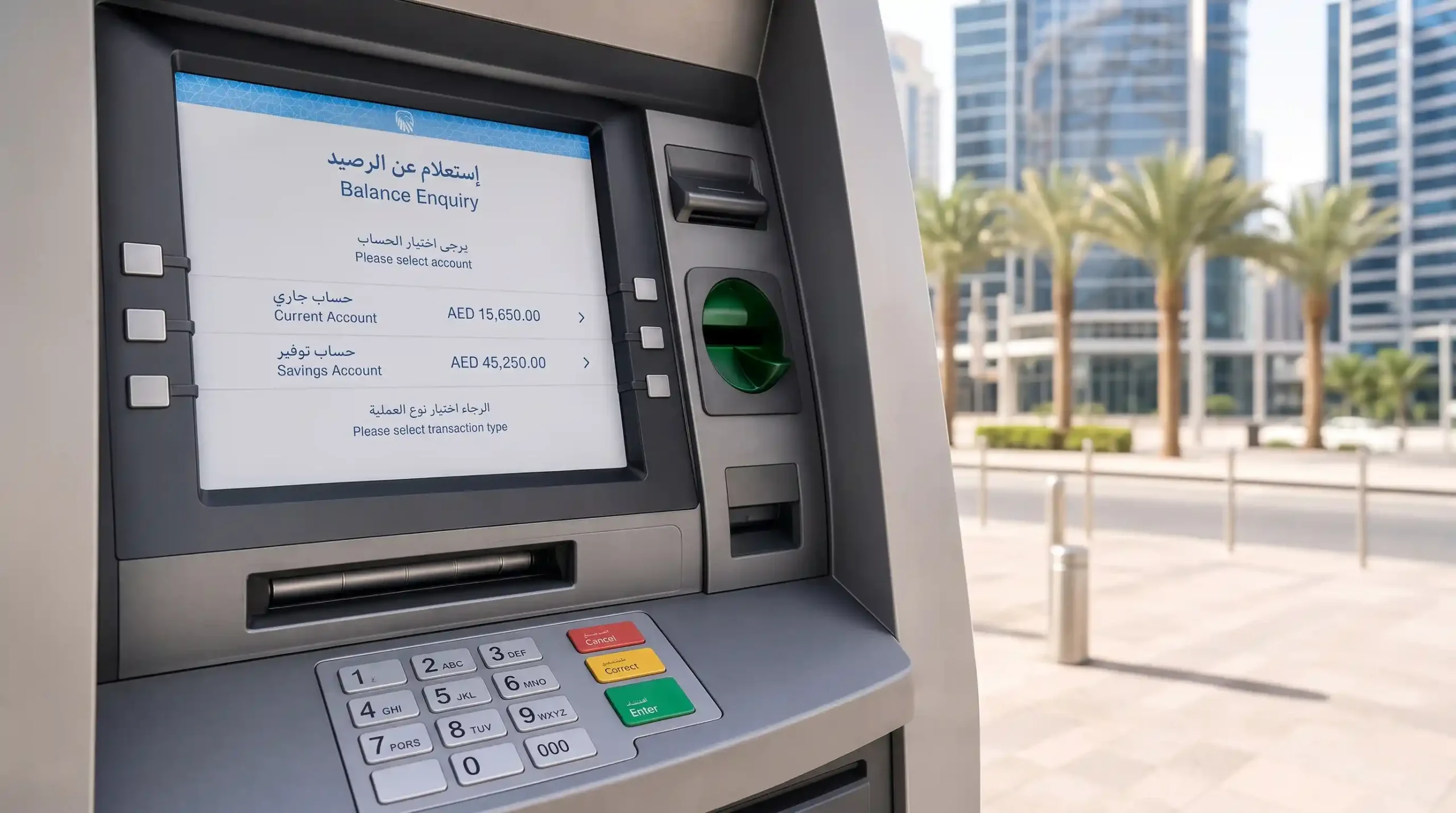
How to Do an ATM Balance Check at a UAE Cash Machine
Checking your balance at an ATM is still the easiest method. It works with almost every debit, credit, or prepaid card in the UAE, and you don’t need an app, internet, or any sign-up first.
Steps to follow:
- Find an ATM from your own bank, or one on a shared network like UAE Switch if your card allows it.
- Put your card in the slot, with the chip facing the way the screen shows.
- Pick your language.
- Type your four-digit PIN, and cover the keypad with your other hand while you do it.
- On the main menu, tap Balance Inquiry (or Balance Enquiry).
- Choose whether you want to see the balance on the screen only or print a receipt.
- Take your card out as soon as you’re done.
The whole thing usually takes less than 30 seconds. Most UAE banks don’t charge anything if you check your balance at their own ATM. If you use another bank’s machine, you may pay a small fee of around AED 1. The screen will tell you about it before you confirm.
Some machines are called Cash Deposit and Dispensing Machines (CCDMs). Balance checks work the same way on them, but you can also deposit cash or cheques in the same visit. So if you plan to put money in after checking your balance, look for one of these, because regular ATMs that only give out cash don’t always take deposits.
UAE Bank ATM Balance Check Quick Reference
Every major UAE bank supports ATM balance checks alongside app, SMS, or USSD alternatives. Use this table to find the fastest no-internet option for your bank.
| Bank | ATM Balance Check | Mobile App | USSD / SMS Shortcode |
| First Abu Dhabi Bank (FAB) | Yes, nationwide | FAB Mobile Banking | SMS “BAL” to 2121 |
| Emirates NBD | Yes, nationwide | ENBD X App | *555# |
| ADCB | Yes, nationwide | ADCB Mobile Banking | *440# |
| Mashreq Bank | Yes, nationwide | Mashreq Neo | *505# |
| Dubai Islamic Bank | Yes, nationwide | DIB Mobile App | *566# |
| Abu Dhabi Islamic Bank (ADIB) | Yes, nationwide | ADIB Mobile App | *272# |
| RAKBANK | Yes, nationwide | RAKBANK App | *577# |
| Commercial Bank of Dubai (CBD) | Yes, nationwide | CBD Mobile App | *444# |
| Sharjah Islamic Bank | Yes, nationwide | SIB Mobile App | *292# |
| Lulu Exchange (salary and remittance cards) | Yes, at Lulu-affiliated and UAE Switch ATMs | Lulu Money App | SMS “BAL [card number]” to 51199 |
USSD codes work without an internet connection on any registered UAE mobile number, which makes them useful for basic phones or when you are outside mobile data coverage. FAB does not currently operate a USSD shortcode and instead relies on its SMS service, so if you are searching for a fab balance check atm alternative that does not require the app, the SMS option to 2121 is the closest equivalent.
FAB ATM Balance Check: Step by Step
First Abu Dhabi Bank (FAB) has one of the biggest ATM networks in the country. You’ll find its machines in malls, metro stations, petrol stations, and residential areas across Dubai, Abu Dhabi, Sharjah, and the Northern Emirates. Checking your balance at a FAB ATM works just like at any other ATM:
- Put in your FAB debit, credit, or prepaid card.
- Type your four-digit PIN.
- Tap Balance Inquiry on the screen menu.
- See your balance on the screen, or ask for a printed receipt.
- Take your card out when you’re done.
If you have a FAB Ratibi card (a prepaid salary card), or a Lulu card issued through FAB’s payroll partnership, the same steps apply. You can also use the Prepaid Card Inquiry website to check your balance without going to a machine. For full instructions on the mobile app, SMS banking, WhatsApp banking, and the Ratibi portal, read our detailed FAB Balance Check guide. It also has FAB’s customer care numbers and fixes for common problems. If you used to bank with National Bank of Abu Dhabi before it merged into FAB in 2017, you’ll find help for your old account in our NBAD Balance Inquiry article.
Lulu ATM Balance Check: Step by Step
A Lulu ATM balance check is for Lulu Exchange salary cards, which are officially called “My Pay My Card.” Employers give these cards to workers under the Wage Protection System. They work at Lulu ATMs and also at ATMs on the UAE Switch network, including some FAB, Emirates NBD, and Mashreq machines.
- Put your Lulu salary or prepaid card into an ATM that supports it.
- Type your four-digit PIN.
- Tap Balance Inquiry on the menu.
- See your balance on the screen, or print a receipt.
- Take your card out when you’re done.
Using a Lulu ATM or one on the UAE Switch network is usually free. Some machines outside these networks may charge a small fee for checking your balance. If your salary card has both the Lulu and FAB logos, it was issued through FAB’s payroll system and not directly by Lulu Exchange. In that case, use FAB’s Prepaid Card Inquiry website for online checks instead of the Lulu Money app. Our full Lulu Balance Check guide explains more about the Lulu Money app, SMS banking, branch visits, and gift card balance checks.
ATM Card Balance Check for Prepaid and Salary Cards
Millions of people in the UAE, especially those who work in construction, retail, hotels, and homes as domestic workers, get paid through prepaid salary cards instead of full bank accounts. These cards are part of the Wage Protection System. It’s an electronic payroll system built by the Central Bank of the UAE and the Ministry of Human Resources and Emiratisation to make sure workers get their wages on time and in full. Under the current rules, employers must pay at least 85 percent of the wages due by the first day of each month.
You can check the balance on a prepaid or Ratibi-style card in a few ways:
- At an ATM: Put in the card, type your PIN, and tap Balance Inquiry, just like with a normal debit card.
- On the card provider’s website: Services like FAB’s Prepaid Card Inquiry let you enter your 16-digit card number and CVV. You don’t need to create an account.
- By SMS: Send a short keyword along with your card number to the number registered by the card provider.
- In the provider’s app: Most payroll card providers, including Lulu Exchange, have an app where you can track your balance and send money home.
If your employer pays you less than AED 5,000 a month, you may have a low-cost Ratibi card instead of a full bank account. For every official way to check this kind of card, read our Ratibi Card Salary Check guide. If you want to compare prepaid cards from different providers, our Prepaid Card Inquiry UAE page explains the process for each one.
Dubai ATM Balance Check: Where to Find Machines
Dubai has more ATMs than almost any other Emirate. They’re mostly around malls, metro stations, and business areas, so you’re rarely far from one when you want to check your balance.
Here are some places where you can count on finding ATMs in Dubai:
- Downtown Dubai and Dubai Mall: Lots of bank ATMs that work all day and night
- Mall of the Emirates: ATMs from several big banks, linked to their branches
- Deira and Bur Dubai: Plenty of machines near shops, offices, and homes
- Business Bay, DIFC, and Dubai Marina: Handy for people who work or live in these areas
- Dubai Metro stations: ATMs along the Red and Green Lines, useful if you want to check your balance between trips
Abu Dhabi and Sharjah are much the same. You’ll find plenty of ATMs around the Abu Dhabi Corniche, Khalidiya, and Al Wahda, and in Sharjah’s Al Majaz and Rolla areas. Most UAE banks share the same ATM networks, so a card from one Emirate will usually work in another without any extra setup.
Alternative Ways to Check Your Balance Without an ATM
If a machine is not nearby, or you simply prefer checking from your phone, several official alternatives exist.
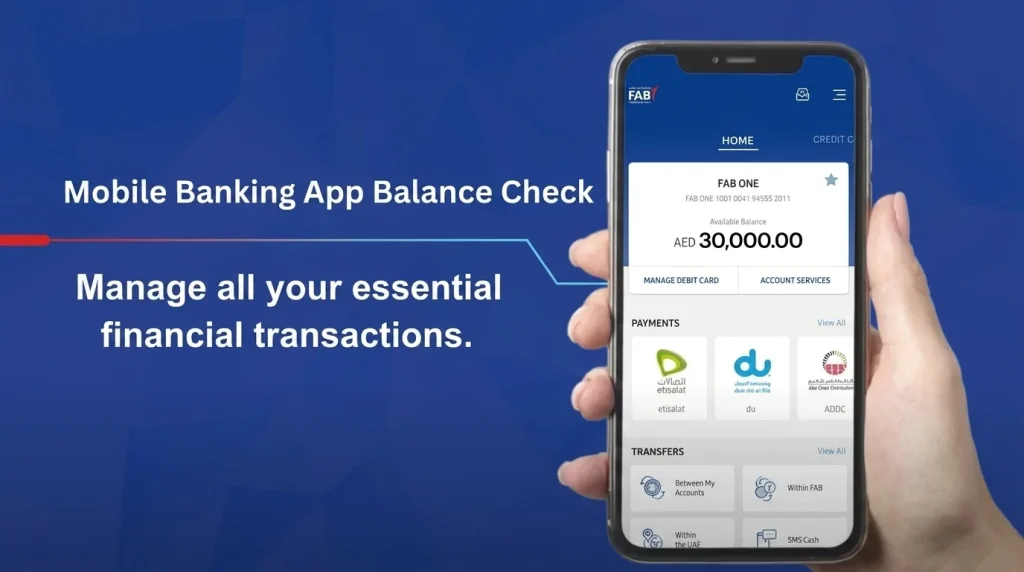
Mobile Banking Apps
Every major UAE bank offers a free official app for iOS and Android. After logging in with a PIN, password, or biometric login, your balance appears immediately on the home dashboard. Apps also show recent transactions, pending holds, and mini statements that ATMs cannot display. Only download banking apps from the official Apple App Store or Google Play Store, and confirm the publisher name matches your bank before entering any credentials.
Internet Banking
Desktop or browser-based banking portals work well for a detailed atm check balance online review, particularly if you need to download statements, review a longer transaction history, or set up transfers. Two-factor authentication, typically an OTP sent to your registered mobile number, is required at login under current Central Bank security rules.
SMS Banking
Sending a short keyword to your bank’s registered number is one of the fastest offline options. FAB customers, for example, send BAL to 2121, while Lulu Exchange customers send BAL followed by their card number to 51199. Standard SMS charges from your telecom provider may apply.
USSD Codes
USSD shortcodes, dialed directly from a phone’s keypad, connect to your bank without using mobile data or Wi-Fi. Codes vary by bank, as shown in the reference table above, and only work on a UAE-registered SIM card linked to your account.
Missed Call and Phone Banking
Several banks, including FAB, offer a free missed-call balance service. You call a designated number from your registered mobile, the call disconnects automatically, and an SMS with your balance arrives within seconds. This method is popular with elderly customers and those using basic mobile handsets.
Branch and Customer Service Desk
Visiting a branch remains the most reliable fallback if you have forgotten a PIN, changed your registered mobile number, or are experiencing app or card issues. Bring a valid Emirates ID for identity verification.
ATM Balance Check Fees in the UAE
Balance inquiries are free in the overwhelming majority of cases, but fees can apply depending on which machine you use.
| Scenario | Typical Fee |
| Balance check at your own bank’s ATM | Free |
| Balance check at another UAE bank’s ATM (interbank) | Around AED 1 |
| Balance check with an international card at a UAE ATM | AED 1 to AED 5, plus possible foreign transaction fee from your home bank |
| Balance check via mobile app, USSD, or internet banking | Free |
| SMS balance check | Standard telecom SMS rate may apply |
| Prepaid or Ratibi card balance check at a partner ATM | Free |
| Prepaid or Ratibi card balance check at a non-partner ATM | AED 2 to AED 5 |
Fees are always disclosed on screen before you confirm the transaction, so you can cancel if you do not wish to proceed.
Security Tips for ATM and Online Balance Checks
Because balance checks involve sensitive account data, follow these practices every time:
- Shield the keypad with your hand whenever you enter a PIN, since shoulder surfing remains one of the most common ways PINs are stolen at busy machines.
- Inspect the card slot before inserting your card. Loose, oddly shaped, or protruding card readers can indicate a skimming device.
- Use well-lit, monitored ATMs, ideally inside branches, malls, or metro stations rather than isolated standalone units.
- Download banking apps only from official app stores, and verify the publisher name against your bank’s official website.
- Avoid public Wi-Fi for mobile or internet banking; use your mobile data connection or a trusted VPN instead.
- Enable transaction alerts so you receive an SMS or push notification for every balance check, withdrawal, or transfer performed on your account.
- Take or destroy printed receipts rather than leaving them in the machine’s tray, since they can reveal account details.
- Never share your PIN or OTP with anyone, including callers claiming to represent your bank. No licensed UAE bank will ever ask for this information over the phone.
The Central Bank of the UAE has strengthened authentication and fraud-prevention requirements for banks in recent years, including stricter controls around one-time passwords and screen-sharing detection during mobile banking sessions. Review official consumer protection guidance on the Central Bank of the UAE website.
Troubleshooting Common ATM Balance Check Problems
Card is rejected or can’t be read: The chip or magnetic stripe on your card may be damaged. Try a different ATM first. If it still doesn’t work, take your Emirates ID to your bank branch and ask for a new card.
PIN is locked: Most UAE banks lock your card after three wrong PIN attempts. Call your bank’s customer care, or reset the PIN in the mobile app. You’ll usually need to enter an OTP (a one-time code sent to your phone) to do it.
The balance looks wrong: An ATM shows your available balance. This leaves out money that is temporarily on hold, like a hotel or petrol station pre-authorization. Check your mobile app or online banking to see the full picture, including pending payments. Also wait 10 to 15 minutes after a recent purchase so it can fully show up.
SMS or USSD isn’t replying: Make sure your mobile number is registered correctly with the bank. If you changed your SIM card recently, check that you also updated your details with the bank. Sometimes a busy network can delay the automatic reply by a few minutes.
The app won’t open or keeps crashing: Update it to the newest version, clear the app cache, or delete it and install it again. Also check that your phone meets the bank’s minimum requirements, which are usually Android 8 or iOS 14 and above.
Which ATM Balance Check Method Should You Use?
- Cash withdrawal users: Combine your balance check with a withdrawal at any ATM for the most efficient single trip.
- Daily digital users: A mobile banking app is fastest and shows transaction history alongside your balance.
- Basic phone users without data: USSD codes or SMS banking work without an internet connection.
- Prepaid, Ratibi, or salary card holders: Use the issuer’s dedicated portal, such as FAB’s Prepaid Card Inquiry service or the Lulu Money app, for registration-free checks.
- Anyone resolving a card issue: A branch visit with your Emirates ID remains the most reliable option for PIN resets or replacement cards.
For broader UAE banking and payment guides, browse our full Finance section, which covers gratuity calculations, transport card balances, and prepaid card comparisons across multiple providers. If you also use a NOL card for Dubai public transport, our NOL Card Balance Check guide follows the same style of step-by-step instructions.
Final Thoughts
Checking your balance in the UAE takes less than a minute, whichever way you choose: an ATM, a mobile app, SMS, a USSD code, or a prepaid card website. If you have a full bank account, the mobile app is usually best because it’s fast and shows more details. If you have a Ratibi or salary card, the card provider’s own website or app, like FAB’s Prepaid Card Inquiry or the Lulu Money app, is often easier because you don’t have to sign up first.
Whatever method you pick, keep your PIN safe and only use official apps and machines. Check your balance often so you can spot a late salary or any strange activity early. Bookmark this guide so you can always find the full list of official ways to check.
Frequently Asked Questions
Is an ATM balance check free in the UAE?
Yes, checking your balance at your own bank’s ATM, through the mobile app, USSD, or internet banking is free. Using another bank’s ATM may incur a small interbank fee, usually around AED 1, which is disclosed before you confirm the transaction.
How do I do a FAB ATM balance check?
Insert your FAB card into any FAB ATM, enter your PIN, select Balance Inquiry, and view your balance on screen or print a receipt. FAB Ratibi and prepaid card holders can also use the Prepaid Card Inquiry portal without registering.
How do I do a Lulu ATM balance check?
Insert your Lulu salary or prepaid card into a Lulu-affiliated or UAE Switch network ATM, enter your PIN, and select Balance Inquiry. If your card also carries the FAB logo, use FAB’s Prepaid Card Inquiry portal instead.
Can tourists check their balance at UAE ATMs?
Yes. Most UAE ATMs accept international cards on the Visa, Mastercard, and UnionPay networks. A fee of AED 1 to AED 5 typically applies for balance checks with a non-UAE card, and your home bank may add its own foreign transaction fee.
What should I do if my ATM balance looks incorrect?
Wait 10 to 15 minutes, since some transactions take time to post, then check again through your mobile app or online banking, which shows both available and pending balances. If the discrepancy remains, contact your bank’s customer care line to raise a formal query.
Do I need an Emirates ID to check my ATM balance?
No. A routine balance check through an ATM, app, SMS, or USSD does not require an Emirates ID. You will need it for app registration, PIN resets, or in-branch assistance.
What is the difference between a USSD code and an SMS balance check?
A USSD code, such as *555# for Emirates NBD, connects instantly through your phone’s dial pad and requires no data connection. An SMS balance check involves texting a keyword to a bank’s registered number and waiting for an automated reply. Both work without internet access, but USSD is generally faster.
Can I check a prepaid or Ratibi salary card balance without an ATM?
Yes. Most issuers, including FAB and Lulu Exchange, offer a dedicated online portal or mobile app where you enter your card number to view the balance instantly, without needing to register or visit a machine.